
Consumer Subscription App, Web + iOS + Android
ChordBook Pro
A chord book for guitarists and pianists on the web, iPhone and Android: chords anchored to the syllable they change on, key-aware transposition and capo, setlists for the stage, a tuner built on the McLeod Pitch Method, a theory course, and a free plan whose limits hold.
Executive summary
- Challenge
- Chord sheets found online put chords above the wrong syllable, can't move to a singer's key and fall apart on stage. Musicians needed one library that reads right at any text size, transposes the way a musician would, works offline at the gig and is free to start, with paid limits that can't be worked around.
- Solution
- One JavaScript monorepo: a Vite web app holding the marketing site, the player app and the admin; an Expo app for iOS and Android; an Express and MongoDB API; and five shared packages, led by a chord engine that parses, transposes, imports ChordPro and detects pitch identically on every platform. Firebase handles sign-in, RevenueCat handles purchases, and the API decides what each account may do.
- Result
- Live at chordbookpro.com, on the App Store and on Google Play.
- Our role
- Product, design system, web app, iOS and Android app, API, audio engineering, subscriptions and store releases. Designed, built and operated by RiseGravity.
- Scope
- Web appiOS + Android appREST APIChord & audio engineSubscriptions & paywallsAdmin & moderationMarketing site
- Key complexity
- Chords anchored to grapheme positions, so they survive edits, line wrapping and any font sizeMcLeod Pitch Method tuner with a native Android microphone moduleRace-safe free-plan quotas and one server-side entitlement across three storesOffline change queue on mobile that can't be used to skip a quota
Technical deep dive
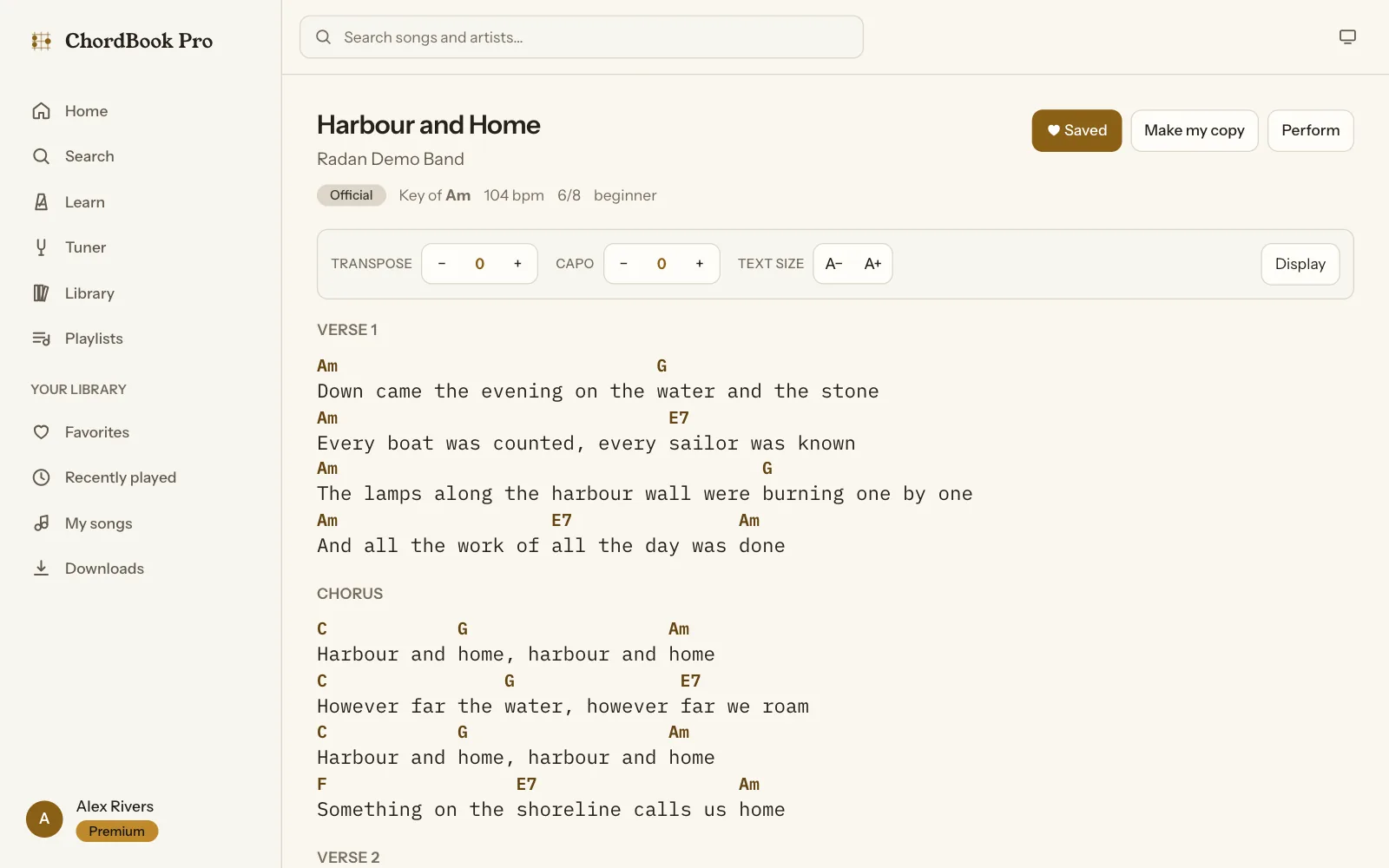
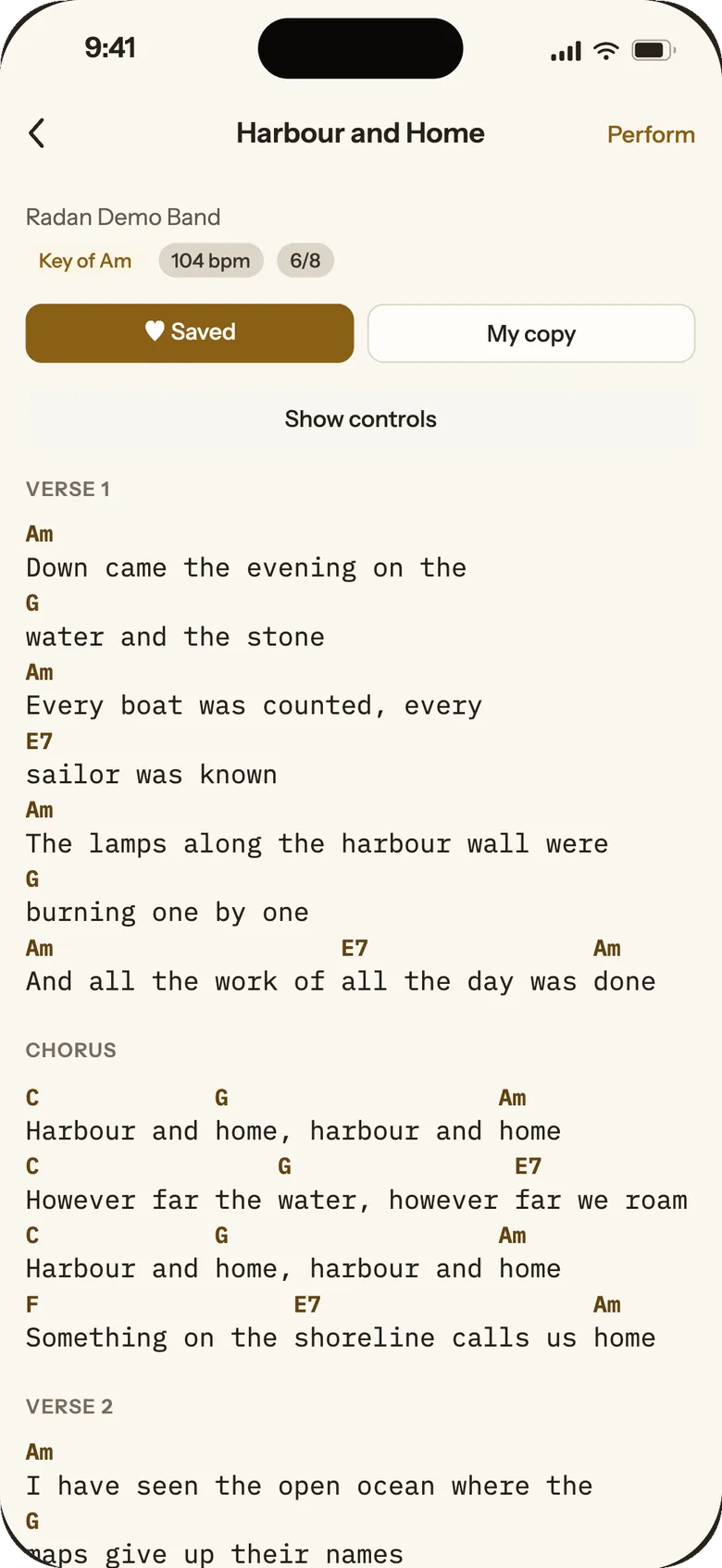
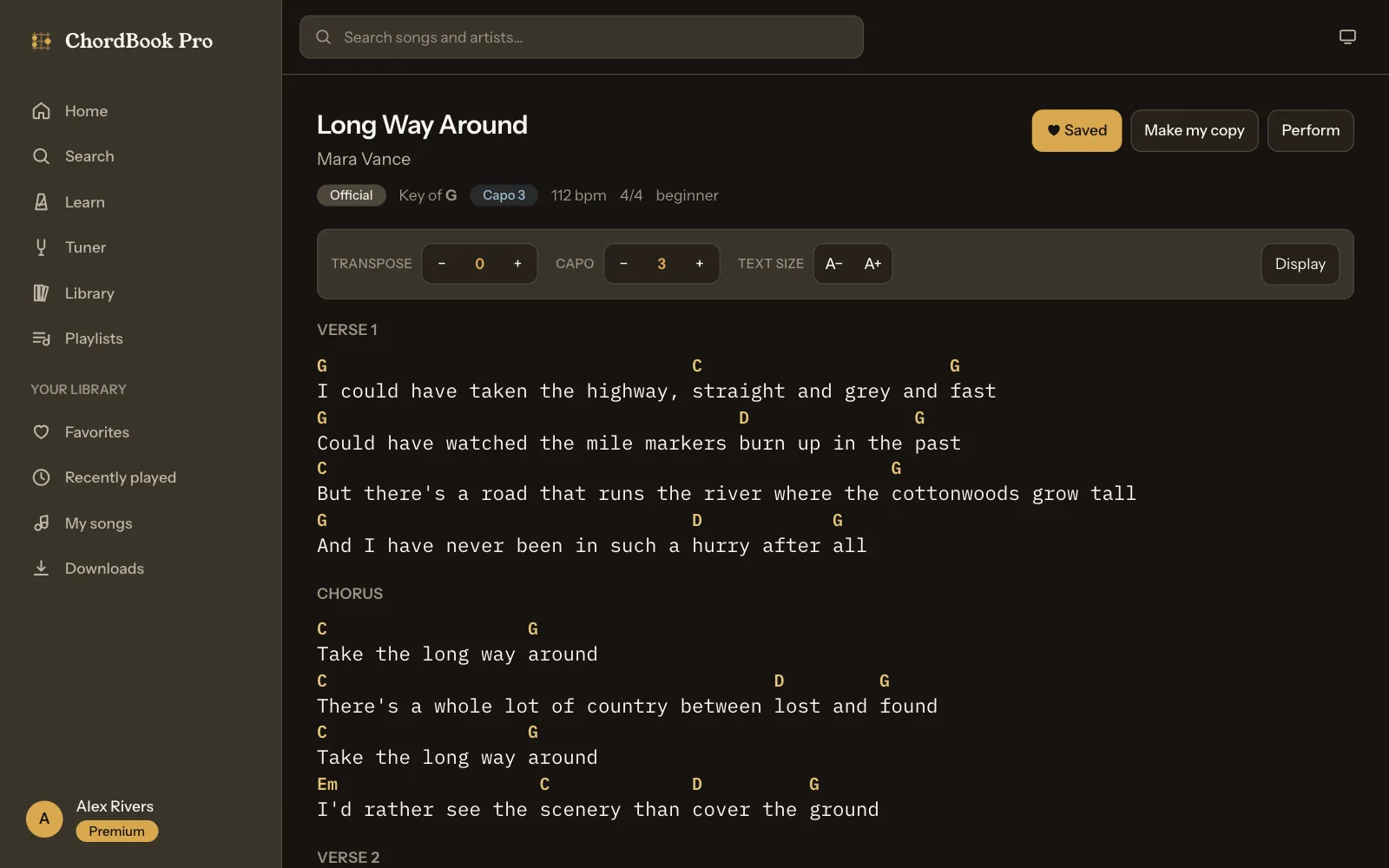
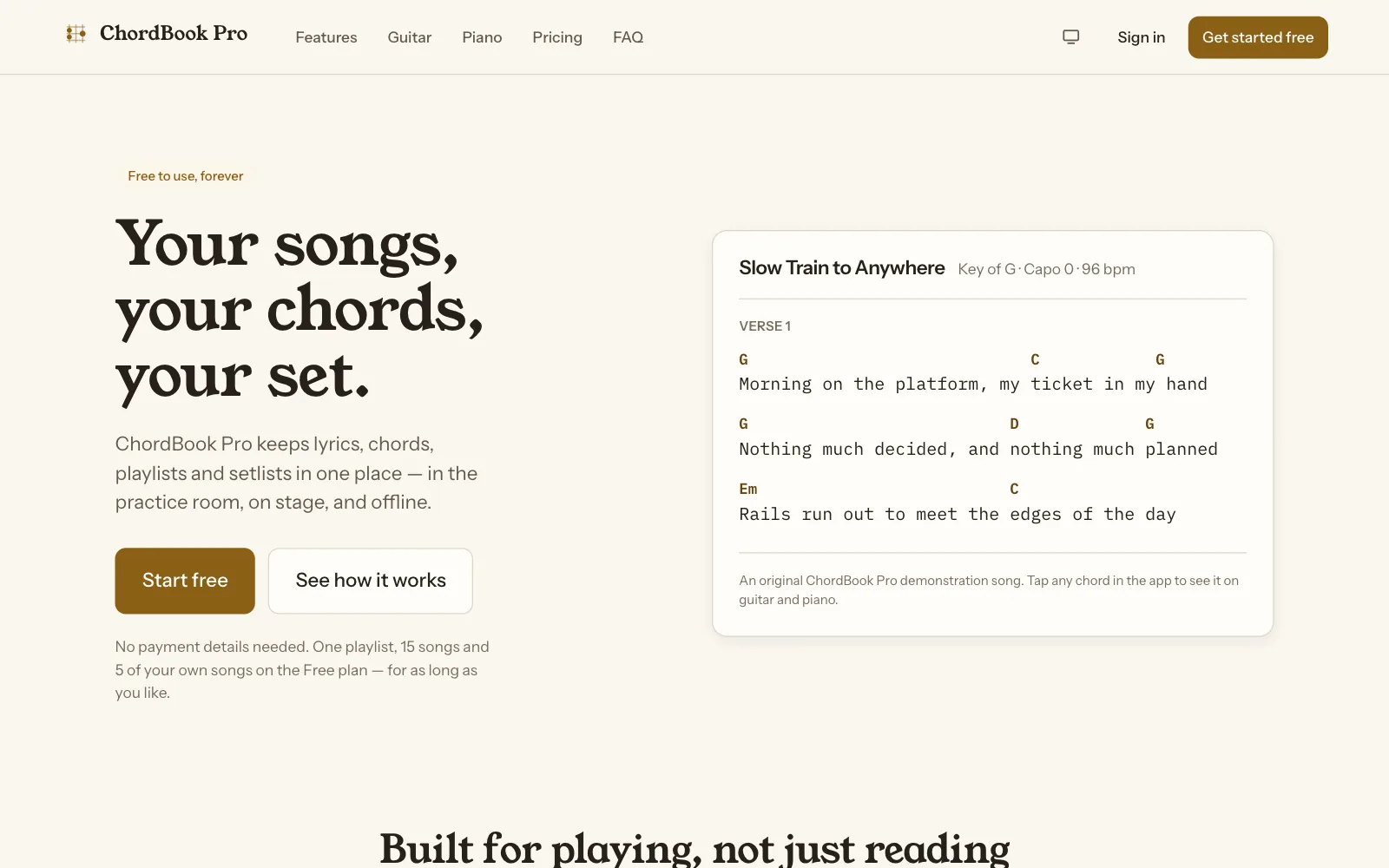
The wide screenshots are the ChordBook Pro web app, captured for this case study on a local copy loaded with the app's own demo catalogue. The phone screens are the iPhone app as published on the App Store. Every lyric on this page is original demonstration content written for the app.
Overview
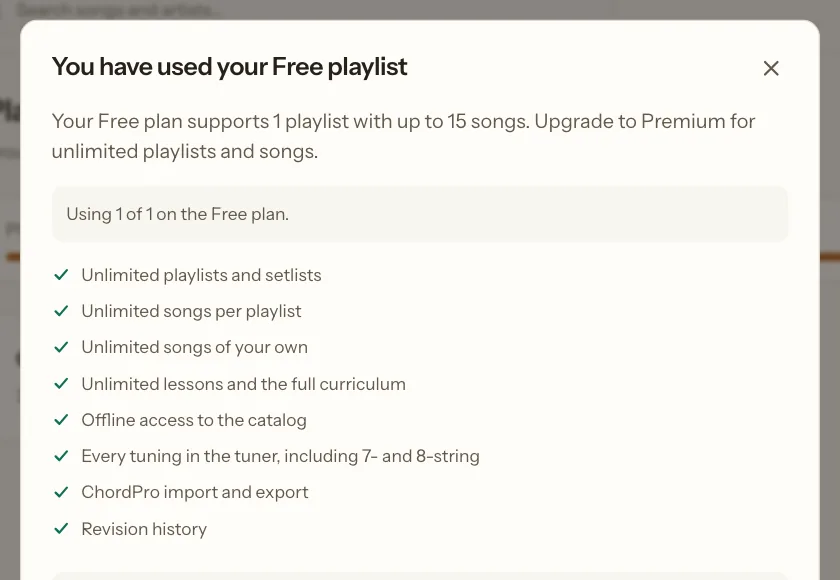
ChordBook Pro is a chord book for guitarists and pianists. Lyrics, chords, playlists and setlists live in one library that reads the same on a laptop, an iPhone and an Android phone: in the practice room, on stage and offline. It is free to start, with one playlist, 15 songs in it, 5 songs of your own, 3 lessons a day and no ads. Premium removes the limits and adds offline downloads, every tuner tuning, ChordPro import and export, revision history and the full theory course.
We built the whole product across 3 platforms: the web app (marketing site, player app and admin), the iOS and Android app, the API behind them, and a chord engine that all of them share. It is about 63,000 lines of JavaScript in one monorepo. The shared packages have no build step: the same source files run in Vite on the web, in Node on the server and in Metro on the phone.
Chords that stay on their syllable
Most chord sheets are plain text: the chord sits above the lyric because someone counted spaces. Change the font, narrow the screen or edit a word and the chord drifts onto the wrong syllable. ChordBook stores each chord as a position in the lyric, counted in graphemes (what a reader sees as one character, so an emoji or an accented letter counts once). The renderer splits each line at those positions and stacks every chord on top of its own piece of text. When a long line wraps on a phone, the chord wraps with its word, at any text size.
Editing is where positions get hard. When someone edits a lyric, every chord after the edit has to move by exactly the right amount, and a chord inside a deleted word must not disappear:
export function adjustMarkersForEdit(markers = [], edit, newText = '') {
  const start = Math.max(0, Math.round(Number(edit?.start) || 0));
  // `Number(undefined)` is NaN rather than nullish, so fall back explicitly.
  const rawEnd = Number(edit?.end);
  const end = Math.max(start, Number.isFinite(rawEnd) ? Math.round(rawEnd) : start);
  const insertedLength = Math.max(0, Math.round(Number(edit?.insertedLength) || 0));
  const removedLength = end - start;
  const delta = insertedLength - removedLength;

  const adjusted = markers.map((marker) => {
    const index = Number(marker.index) || 0;

    // Strictly before the edit: unaffected.
    if (index < start) return { ...marker };

    // At or after the end of the removed range: shifted by the net change.
    //
    // For a pure insertion `start === end`, so a marker sitting exactly at the
    // caret lands here and moves forward. That is what keeps a chord attached
    // to the word it was written above when the user types ahead of it.
    if (index >= end) return { ...marker, index: index + delta };

    // Inside the deleted range: collapse to the start of the edit rather than
    // dropping the chord. The user keeps their chord and can move it.
    return { ...marker, index: start, reanchored: true };
  });

  return normalizeMarkers(adjusted, newText);
}
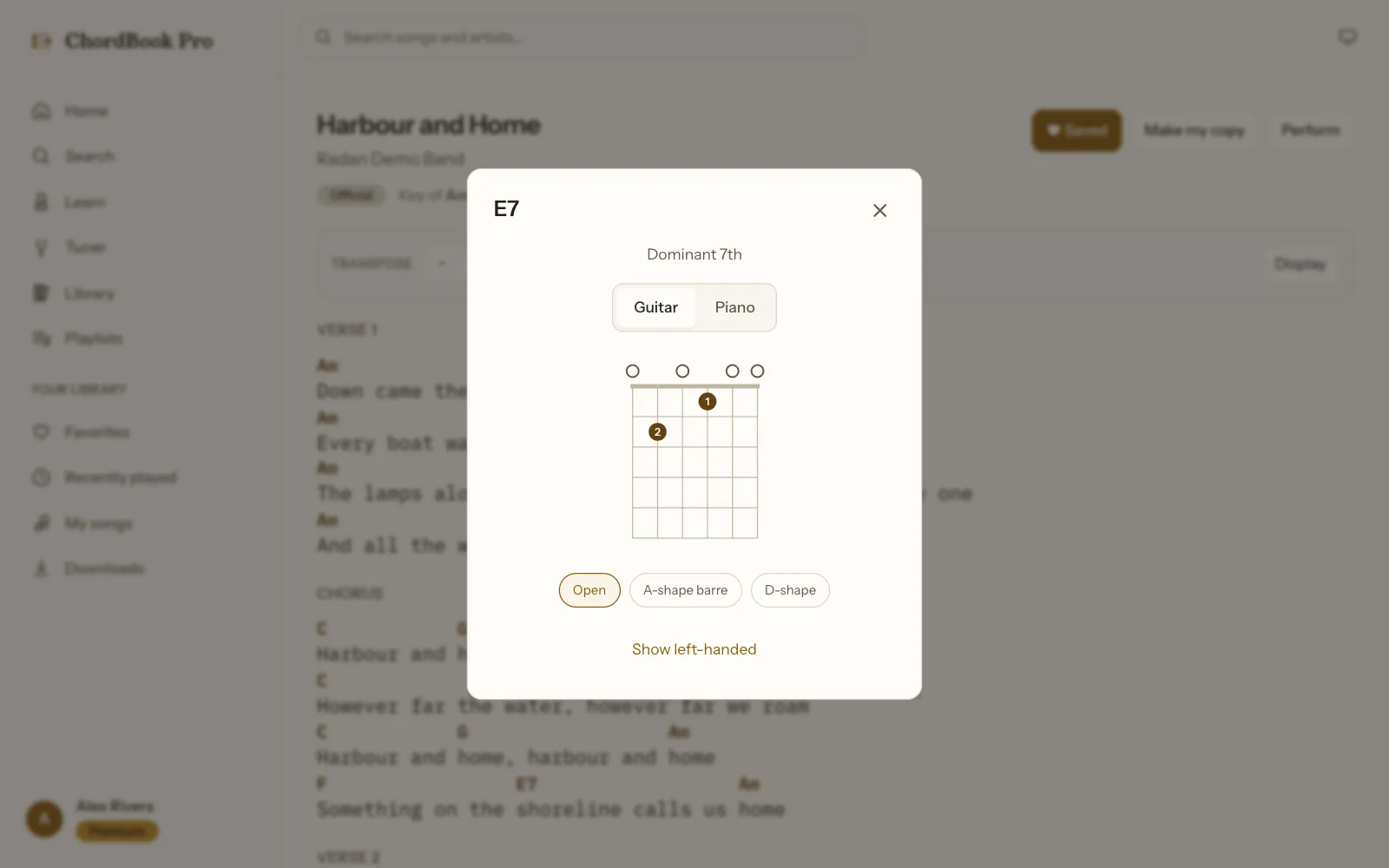
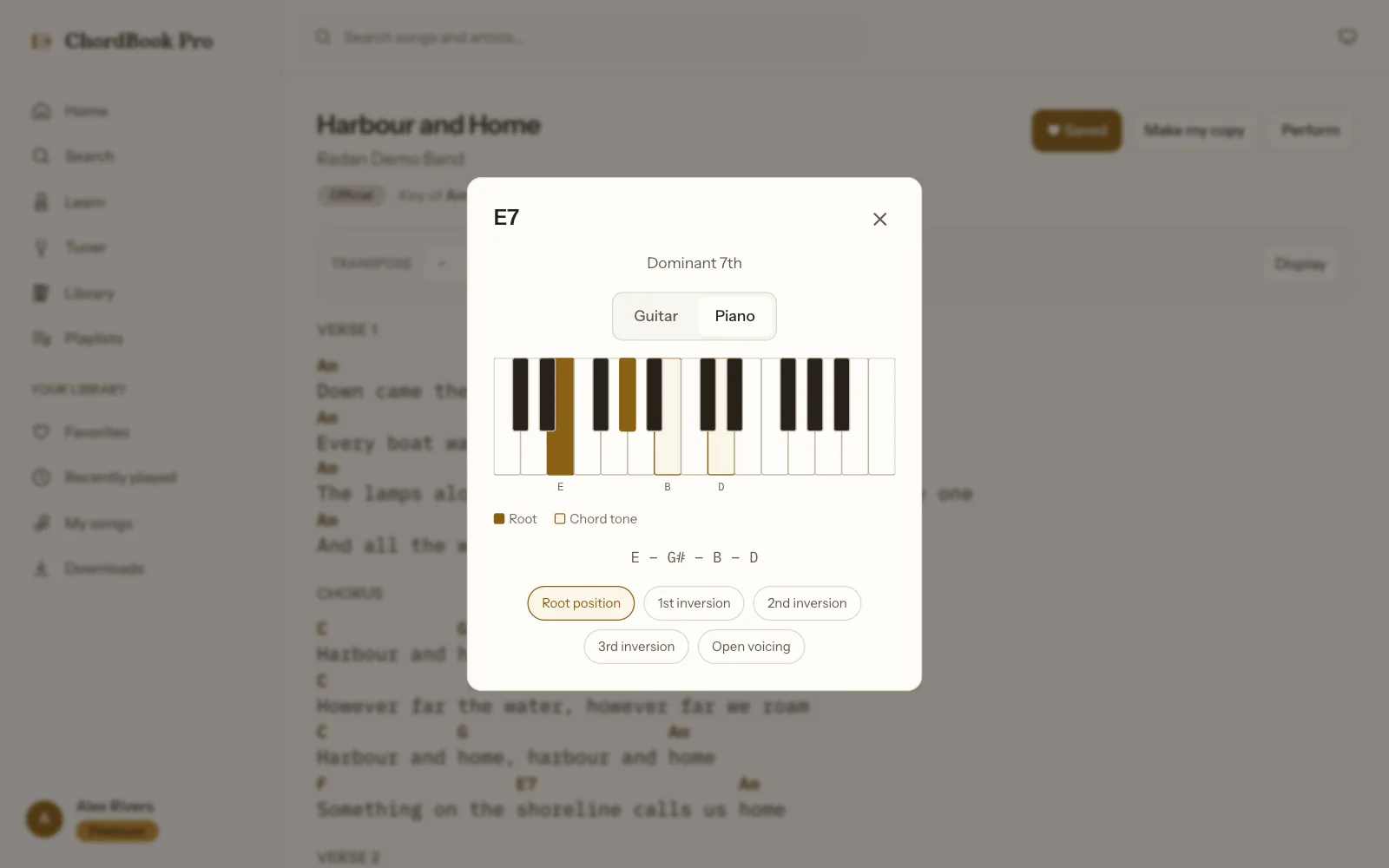
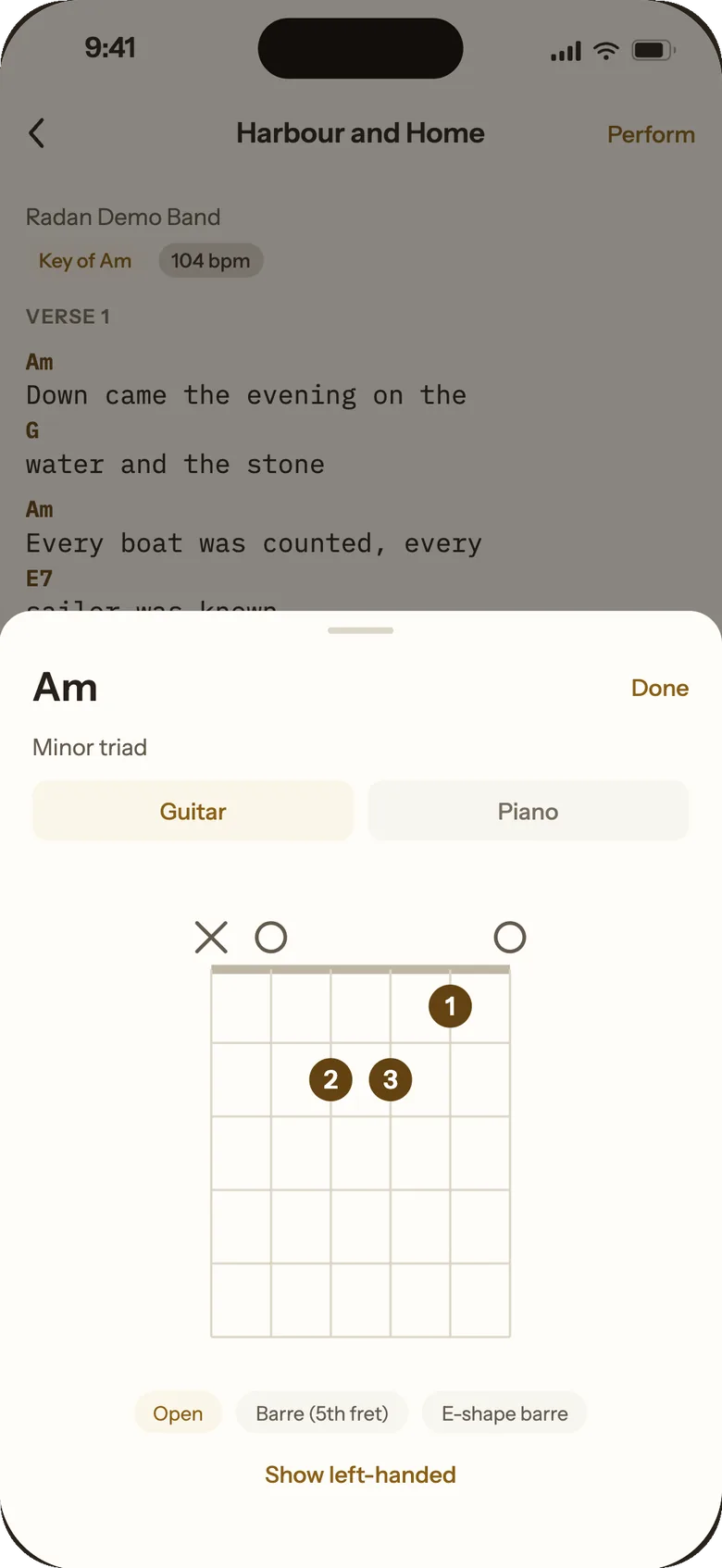
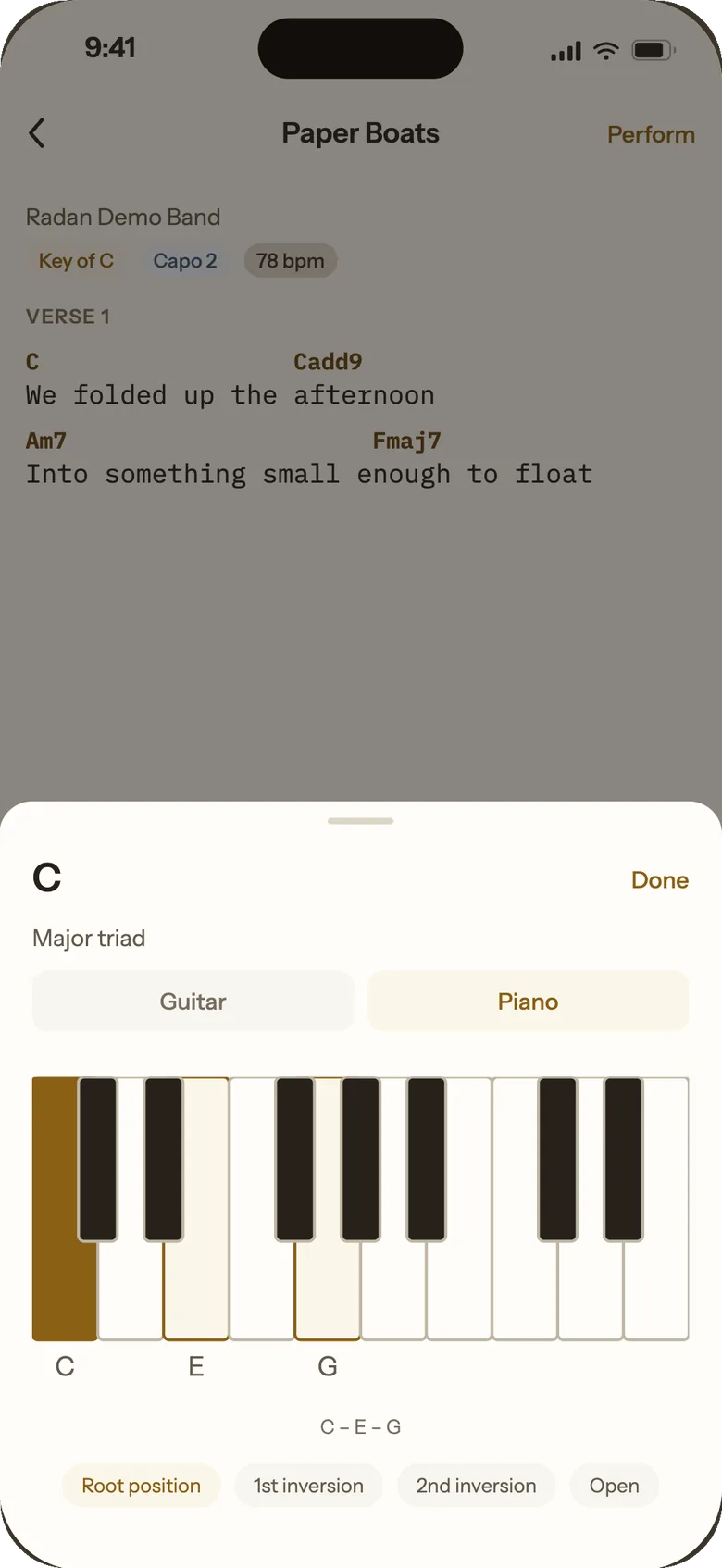
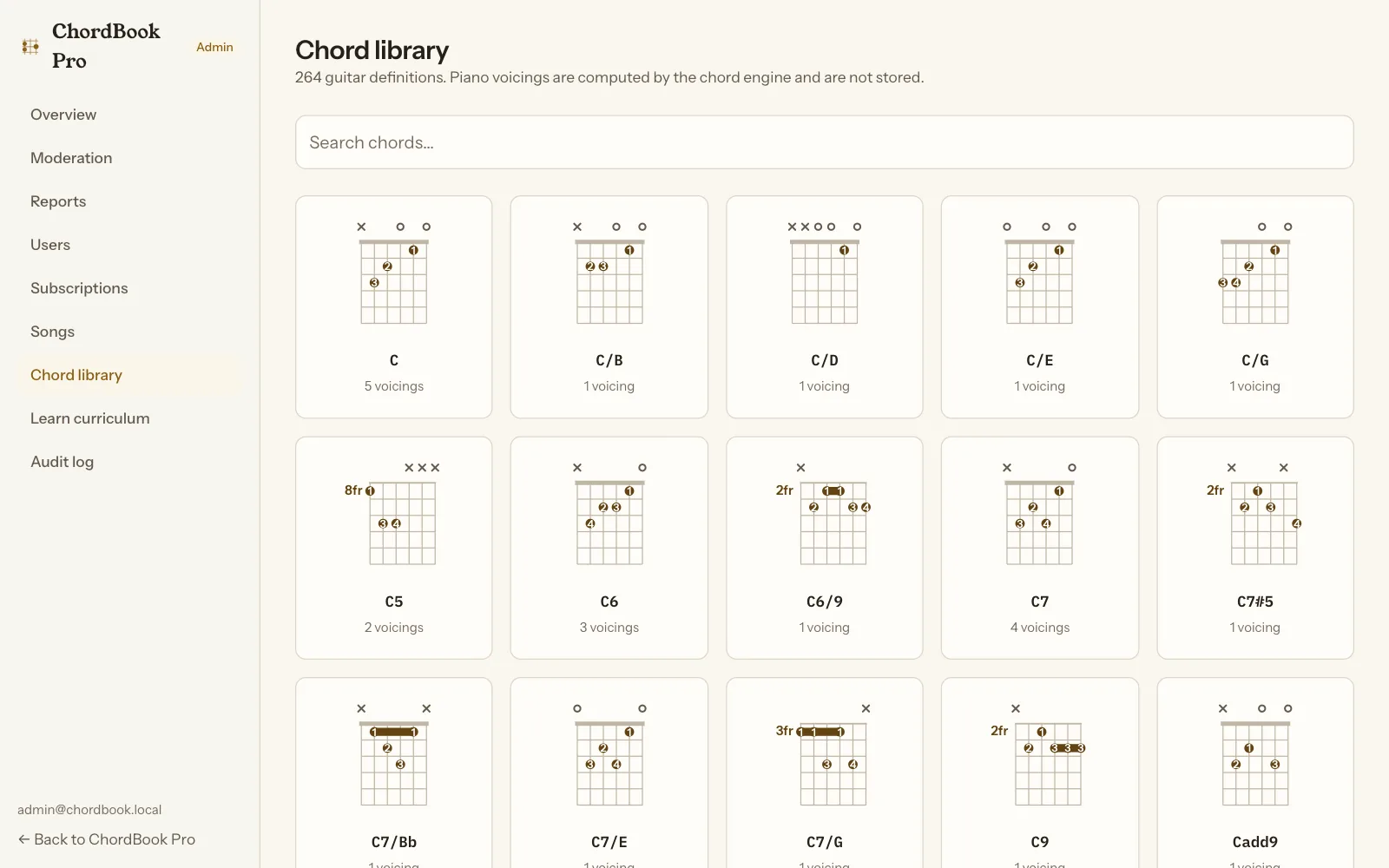
Tap any chord and a sheet opens with its guitar fingering (every curated voicing, plus a left-handed view) and its piano notes in every inversion. The library holds 264 chord definitions and 519 guitar voicings, and a verification script checks every one against the chord's intervals. Piano voicings aren't stored at all: the engine computes them from the chord.
Transpose and capo, spelled like a musician
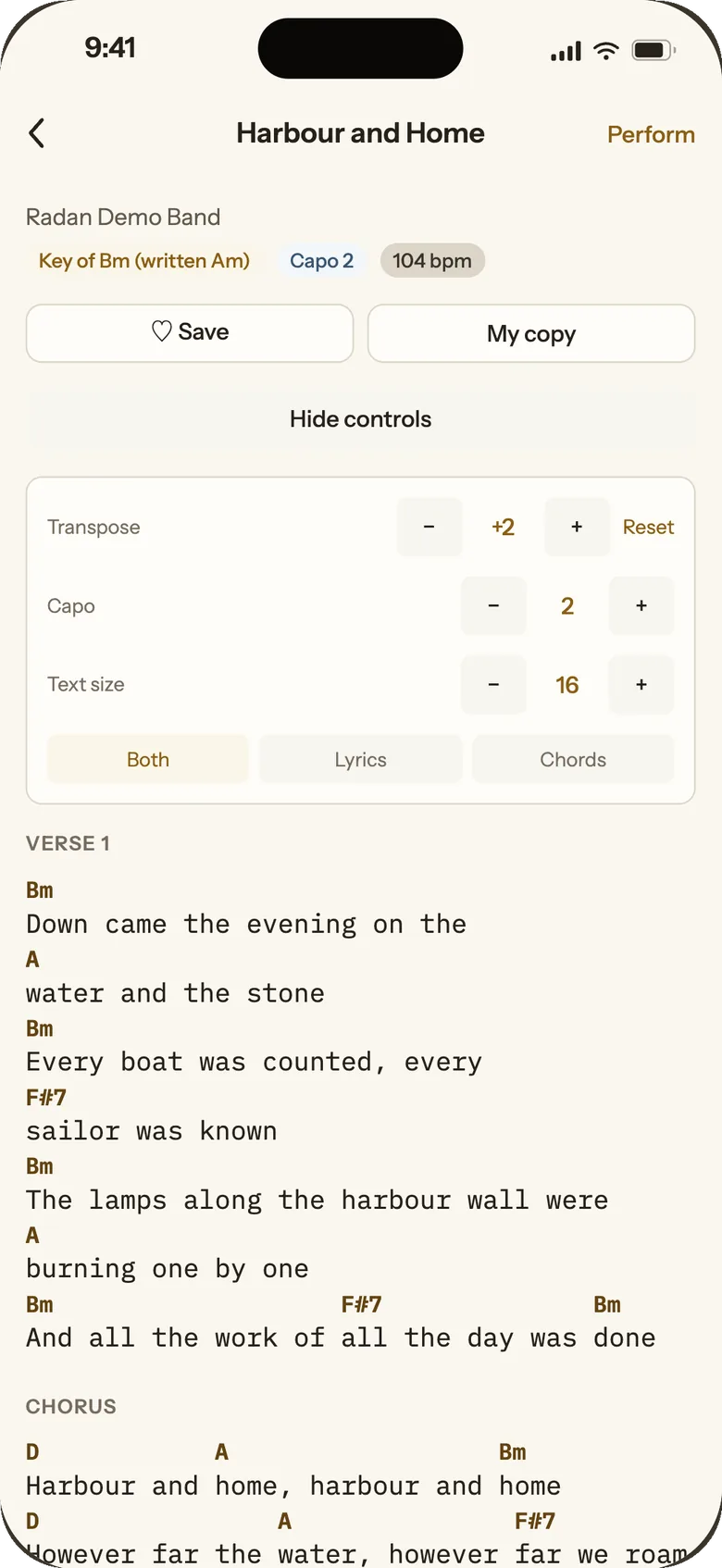
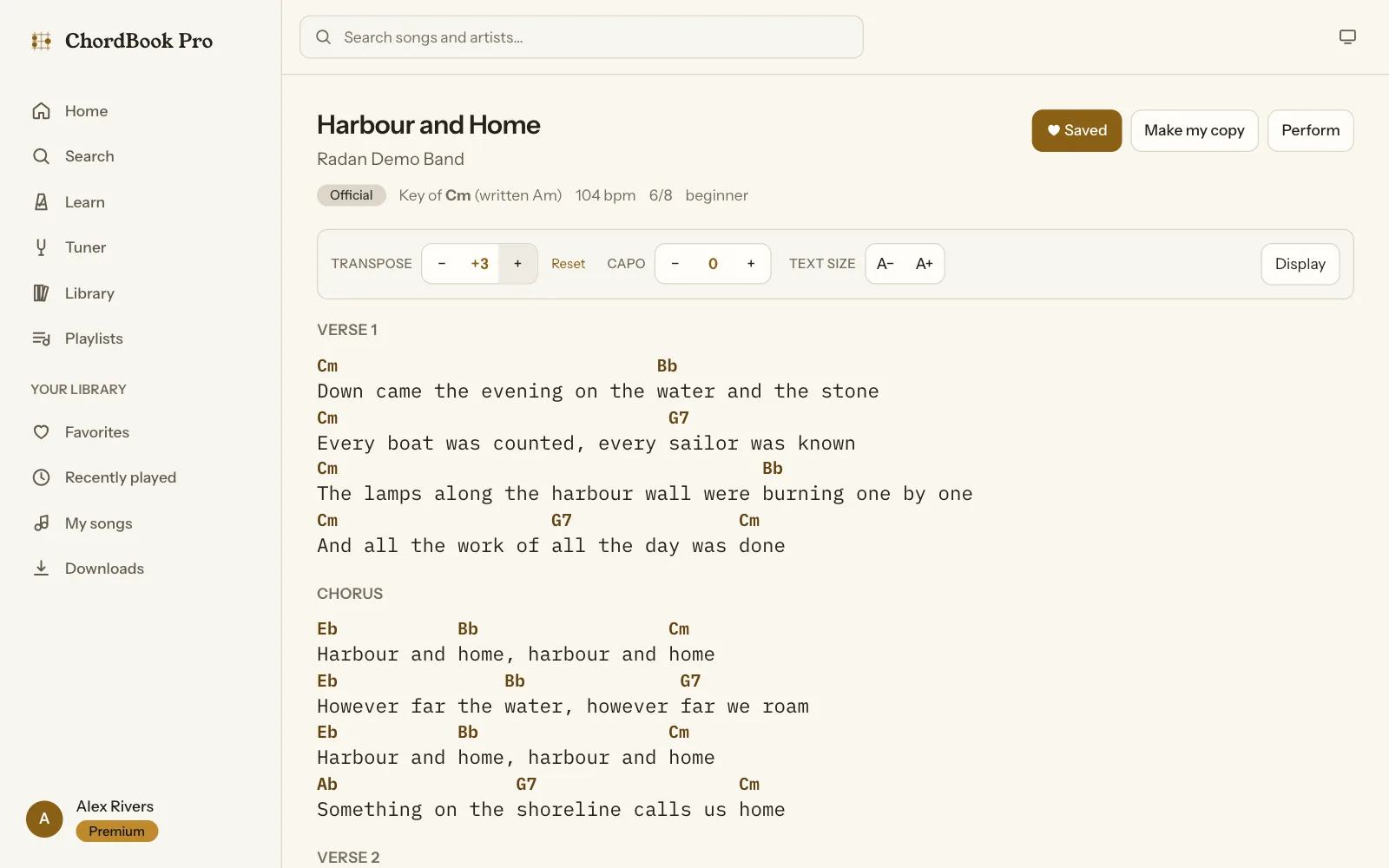
Transposition is a one-line function until you have to name the result. Move a song in A minor up three semitones and a musician expects Cm, Bb, Eb and Ab, not Cm, A#, D# and G#. The engine picks sharps or flats from the key the song is moving to:
/** Transposes a key name, preserving its major/minor suffix. */
export function transposeKey(key, semitones, preference = 'auto') {
  if (!key) return key;

  const normalized = normalizeAccidentals(String(key).trim());
  const match = /^([A-G](?:#|b|##|bb)?)(.*)$/i.exec(normalized);
  if (!match) return key;

  const pitchClass = noteToPitchClass(match[1]);
  if (pitchClass === null) return key;

  const targetPitchClass = mod12(pitchClass + semitones);

  // Resolve spelling against the *target* key so that, for example,
  // transposing C up one semitone in "auto" mode yields Db rather than C#.
  const suffix = match[2] ?? '';
  const isMinor = /^(m|min)/i.test(suffix);
  const sharpCandidate = SHARP_NAMES[targetPitchClass] + (isMinor ? 'm' : '');
  const spelling =
    preference === 'auto'
      ? resolveSpelling({ key: sharpCandidate, preference: 'auto' }) === 'flat'
        ? 'flat'
        : preferFlatForTarget(targetPitchClass, isMinor)
      : preference;

  return pitchClassToNote(targetPitchClass, spelling) + suffix;
}
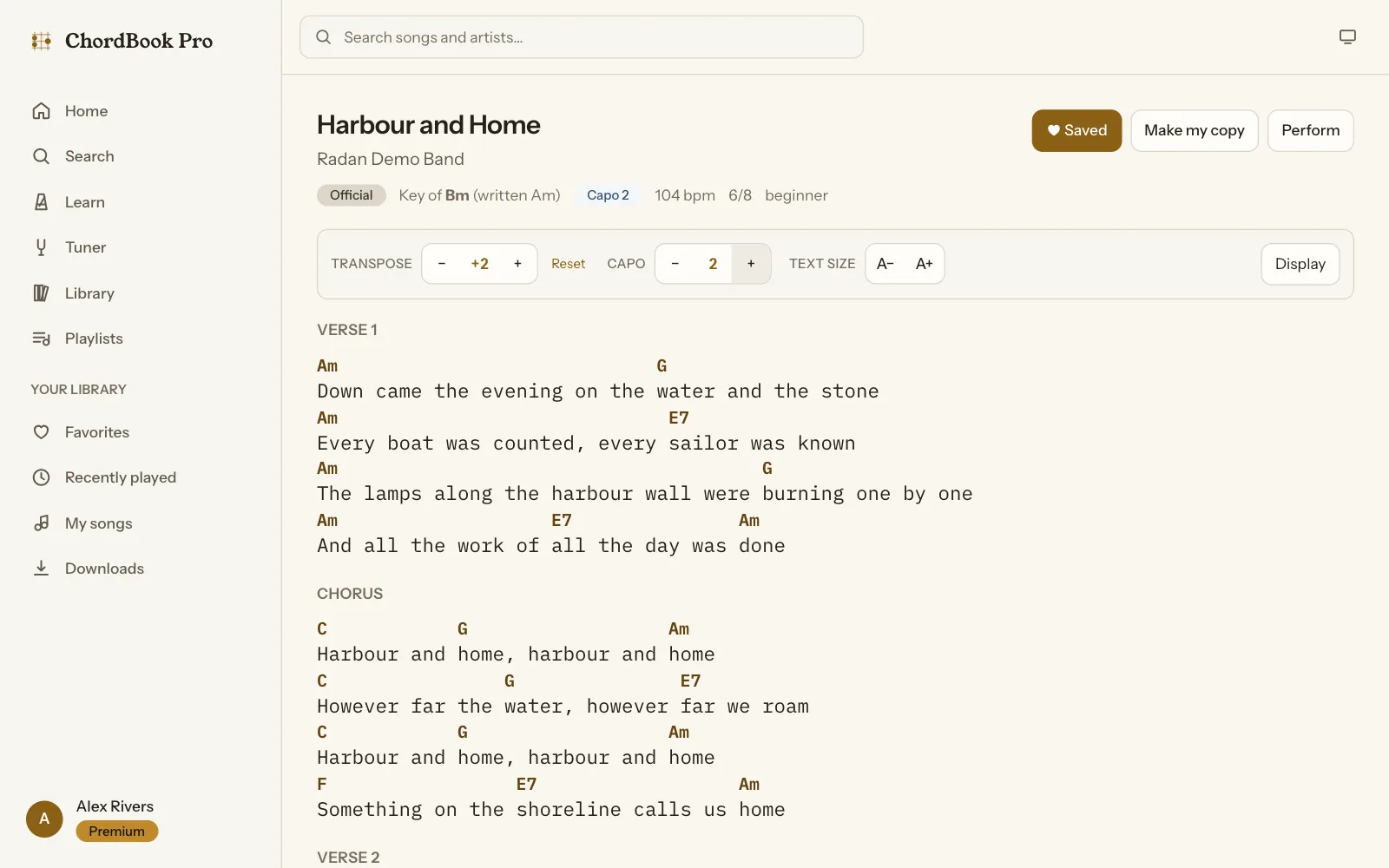
The capo works the other way round. Put a capo on the second fret and the shapes you play move down two semitones, so the song still sounds in the key you chose. The reader says so in its header: "Key of Bm (written Am), Capo 2". The engine can also rank capo positions 0 to 7 by how many open-chord shapes each one leaves you, which is how a beginner gets a hard song into chords they already know. The parser behind all of it matches chord names longest suffix first, splits a slash bass only when the part after the slash is a note (so 6/9 survives), and peels alterations off the end so Cmaj7#11 parses.
A tuner built on the McLeod Pitch Method
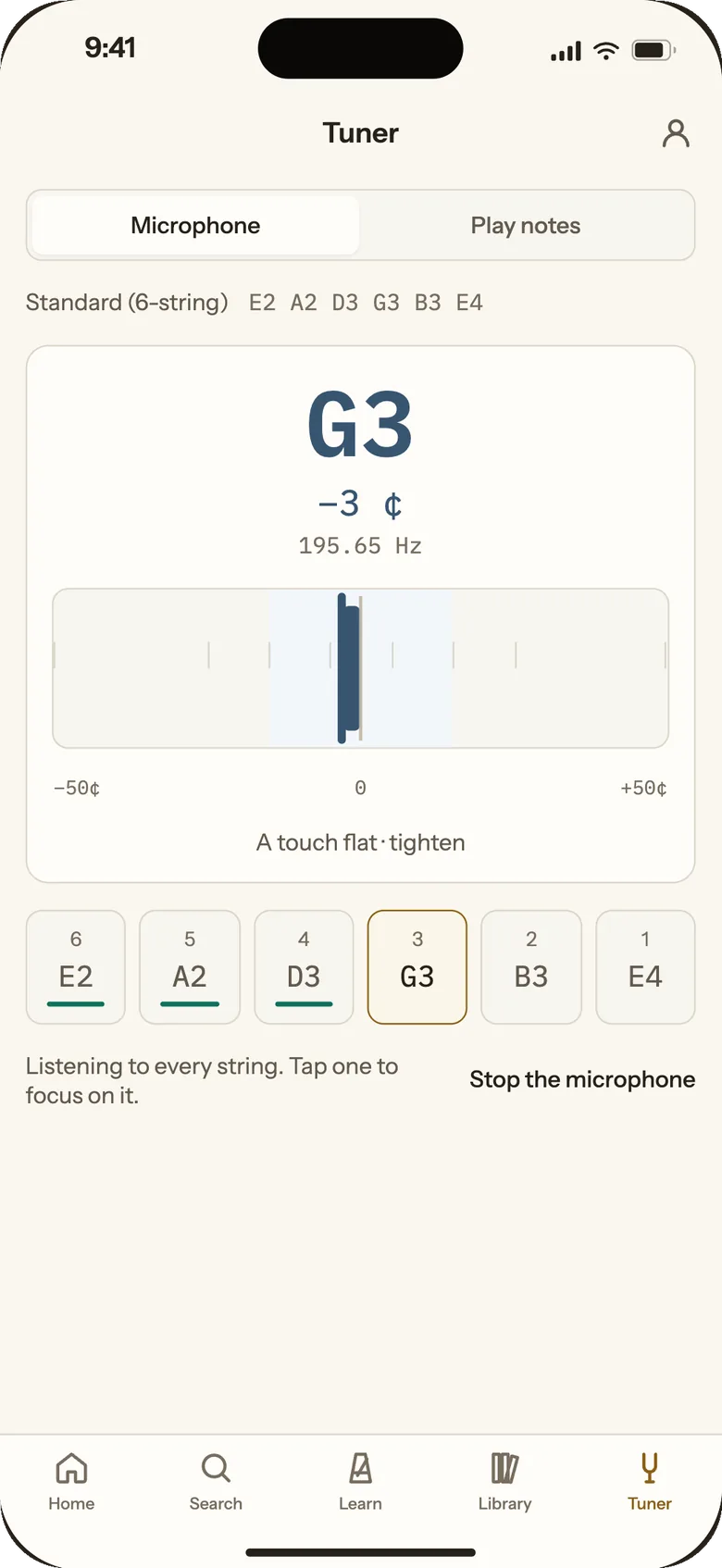
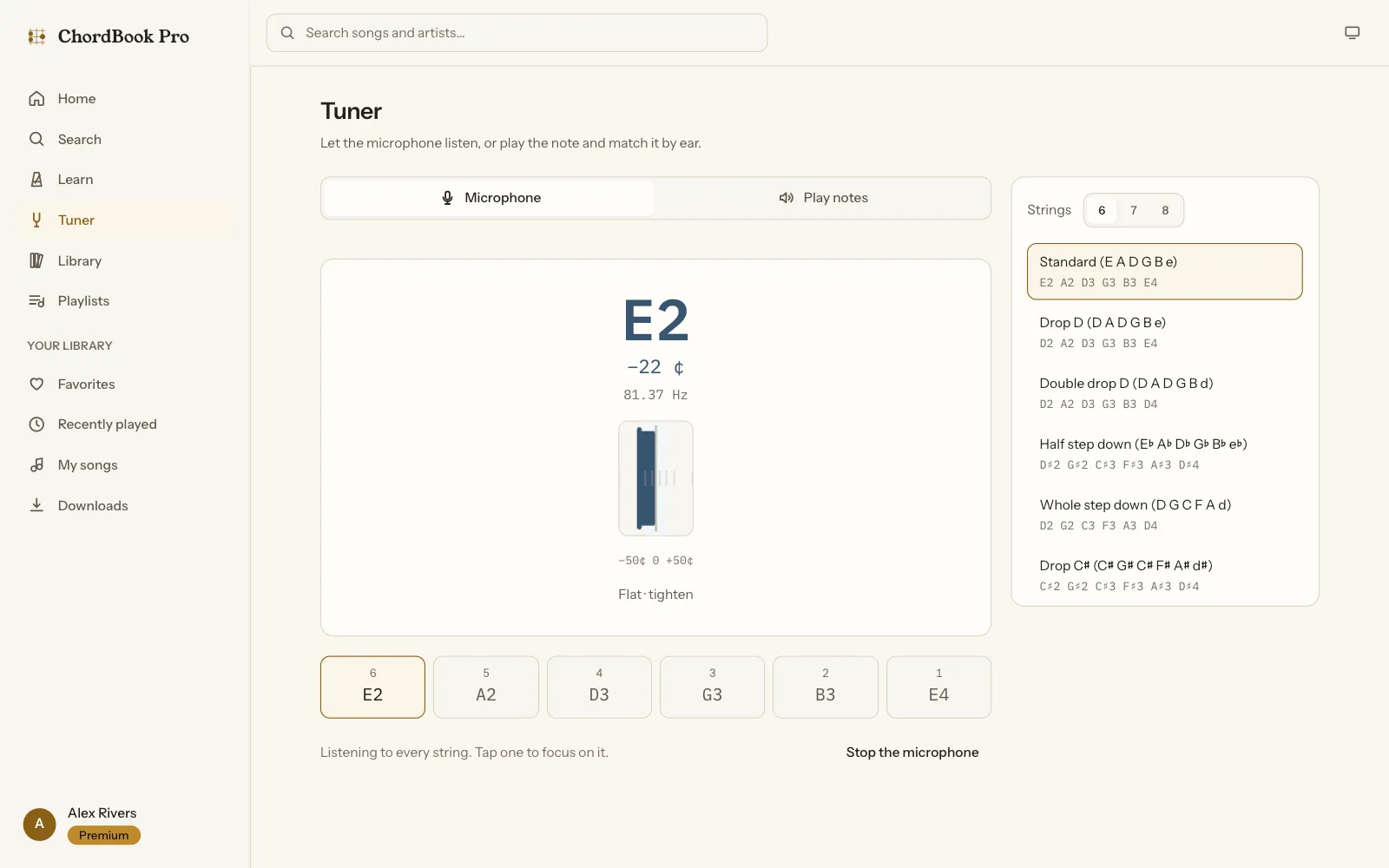
A tuner is a pitch detector with a needle, and the hard case is the low strings. On a plucked low E the fundamental carries little of the energy; the second and third partials carry most of it. Naive methods fail on exactly that signal: picking the loudest frequency jumps an octave up, plain autocorrelation jumps an octave down, and YIN jumps up when the fundamental is weak. We used the McLeod Pitch Method, which normalises each lag by the energy that actually overlaps at that lag, and computed its normalised square difference function through an FFT, so each frame costs O(N log N) instead of O(N²):
// Linear autocorrelation via the Wiener-Khinchin route.
re.fill(0);
im.fill(0);
for (let i = 0; i < frameSamples; i += 1) re[i] = windowed[i];

fft.forward(re, im);
for (let i = 0; i < fftSize; i += 1) {
  re[i] = re[i] * re[i] + im[i] * im[i];
  im[i] = 0;
}
fft.inverse(re, im);

// n'(τ) = 2r'(τ) / m'(τ), with
//   m'(τ) = Σ x[j]² over j<N-τ  +  Σ x[j]² over j≥τ
//         = prefix[N-τ] + (prefix[N] - prefix[τ])
const total = prefix[frameSamples];
for (let lag = 0; lag <= maxLag + 1; lag += 1) {
  const divisor = prefix[frameSamples - lag] + total - prefix[lag];
  nsdf[lag] = divisor > 0 ? (2 * re[lag]) / divisor : 0;
}

const lag = pickKeyMaximum(nsdf, minLag, maxLag);
if (lag === -1) return reject('unclear', rms);

let refined = interpolatePeak(nsdf, lag);
Around the detector:
- A reading every 16 ms. Audio is analysed at 16 kHz in 2,048-sample frames with a 256-sample hop. Every buffer is allocated once, so the needle never stutters on garbage collection.
- A needle that doesn't twitch. A 7-frame median throws out stray octave errors, a two-speed moving average snaps to a new note and then settles, and "in tune" only lights after the note has held within 5 cents for 400 ms. It lets go at 9 cents, so a needle resting at 5.5 doesn't blink.
- The right string, without flicker. Listening to every string at once, the tuner only switches to another string when that string is closer by 0.6 of a semitone for 3 frames in a row.
- One engine, every platform. The same detector code runs in the browser, on the Web Audio API with echo cancellation, noise suppression and automatic gain all switched off, and on the phone.
- A native microphone on Android. On several Samsung and Xiaomi phones the default recording source has a high-pass filter around 80 to 100 Hz, and a low E is 82.4 Hz. A small Kotlin module asks Android for the unprocessed source (falling back to the voice-recognition source), switches off gain control, noise suppression and echo cancellation, and reads on an urgent-audio thread.
One Android bug is worth telling. Tapping "Turn on the microphone" sometimes did nothing at all. The permission dialog briefly sends the app to the background, the app's own background handler stopped the microphone, and so the app cancelled the very start it had just asked for. A flag that marks the app as waiting for permission fixed it, and the fix was checked on a physical phone.
The tuner covers 33 tunings across 6, 7 and 8 strings, custom tunings, an adjustable reference pitch and a "Play notes" mode for tuning by ear. Free accounts get standard tuning; the rest is Premium.
Setlists and performance mode
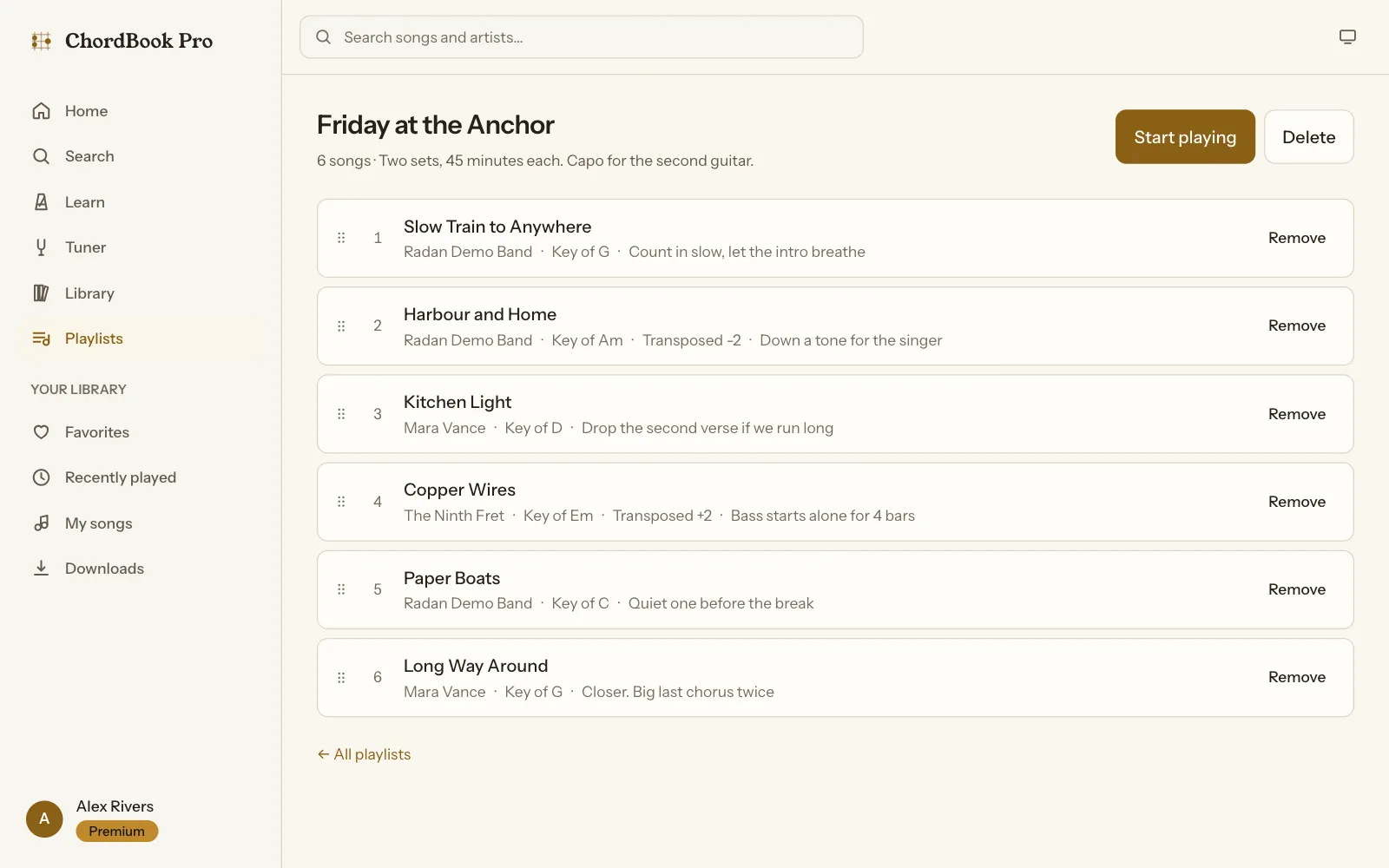
Playlists and setlists hold songs in order, with a note on each one ("Bass starts alone for 4 bars") and a transpose for that set only, so the singer can have a song a tone lower without changing it for anyone else. Reordering is drag and drop. The API accepts a new order only when it lists every item in the playlist, then writes every position in one bulkWrite, so a reorder is never half applied.
Performance mode is for the stage. It keeps the screen awake, auto-scrolls at a speed you adjust in quarter steps, and moves to the previous or next song in the set without leaving the reader.
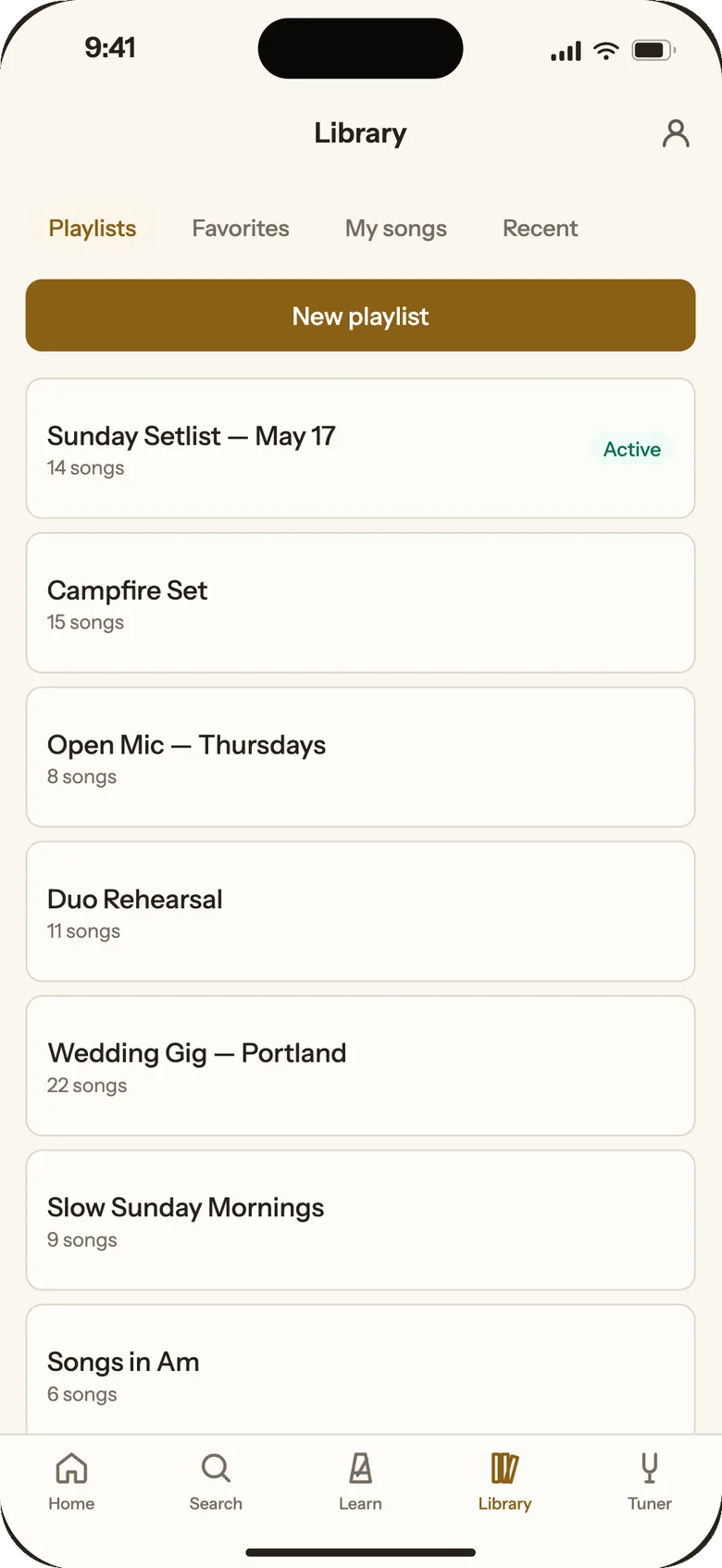
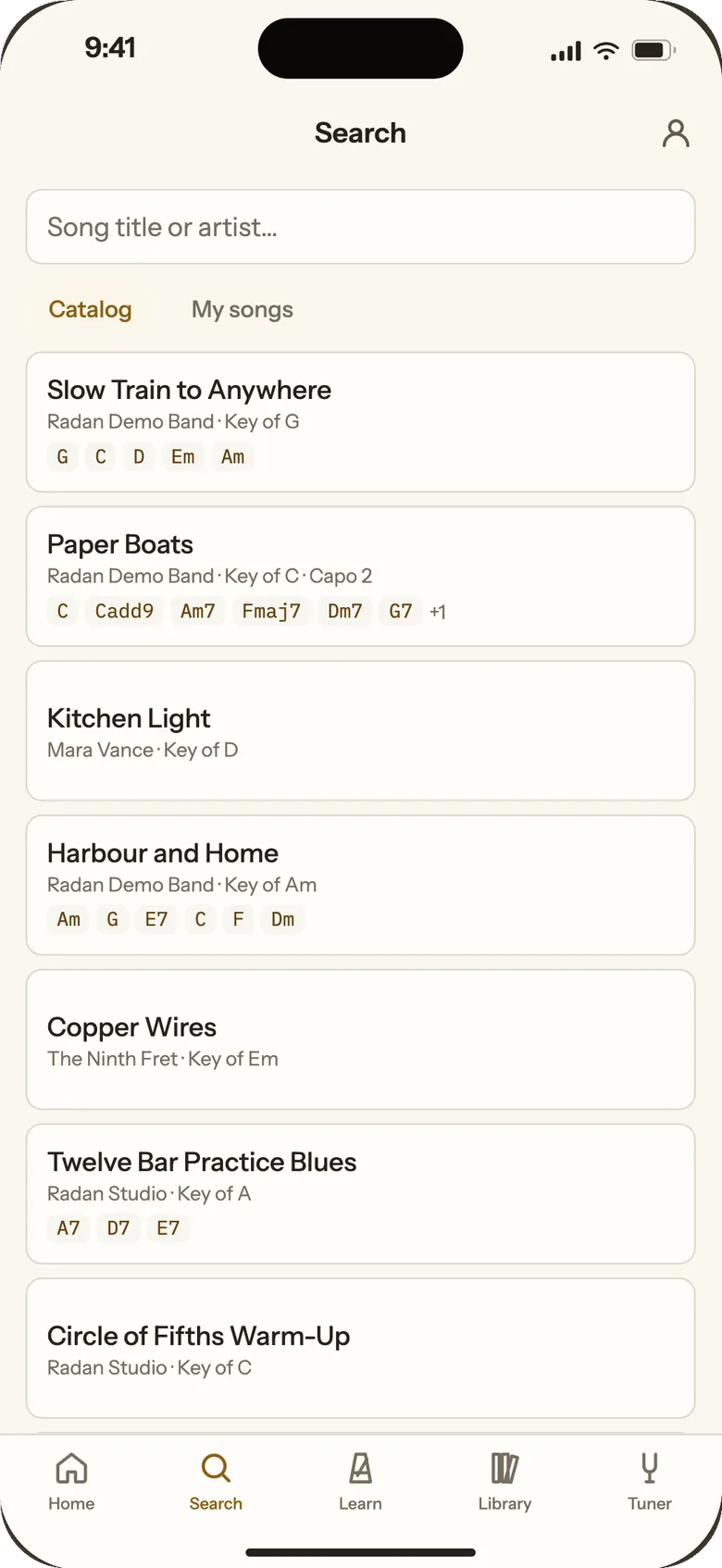
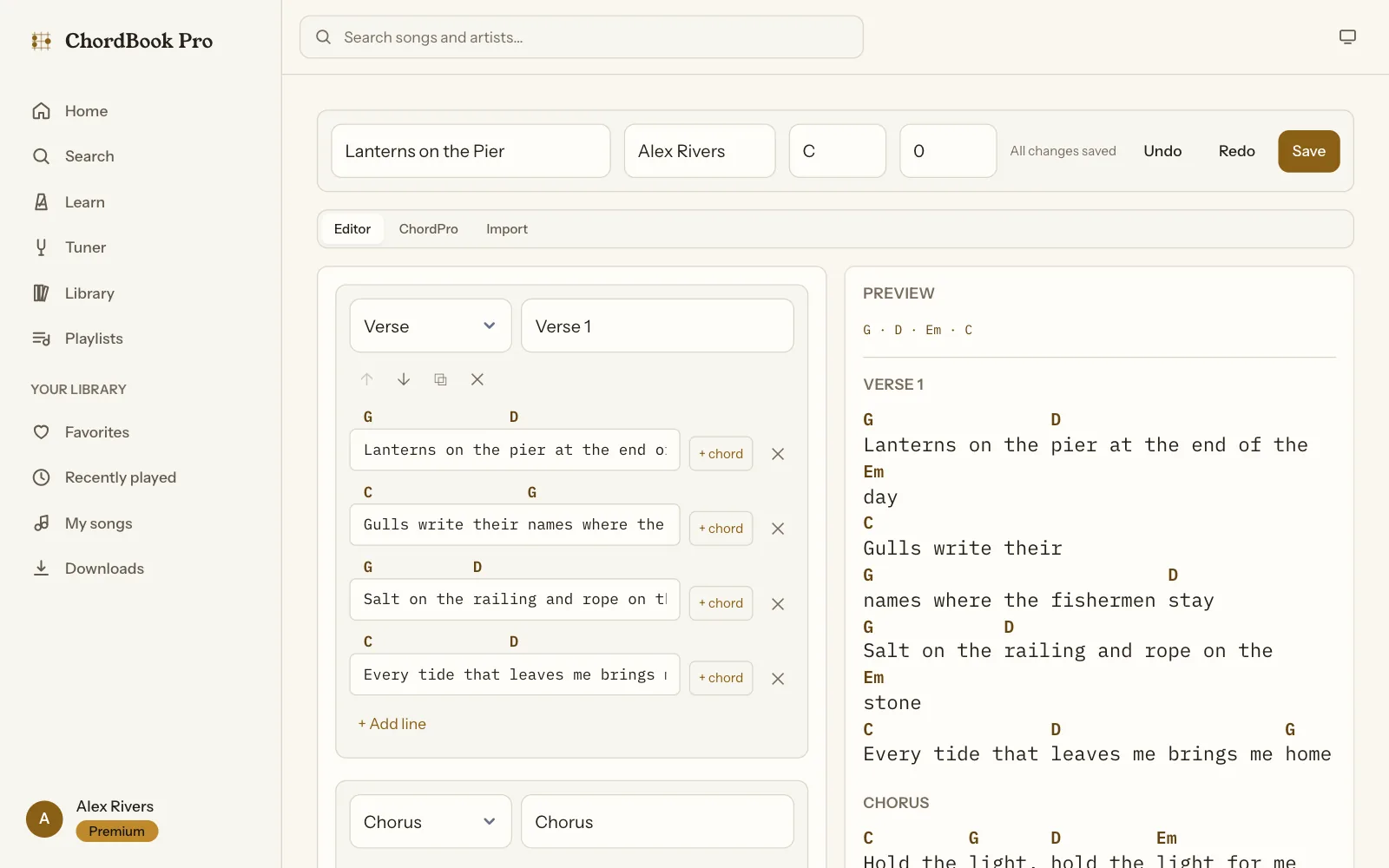
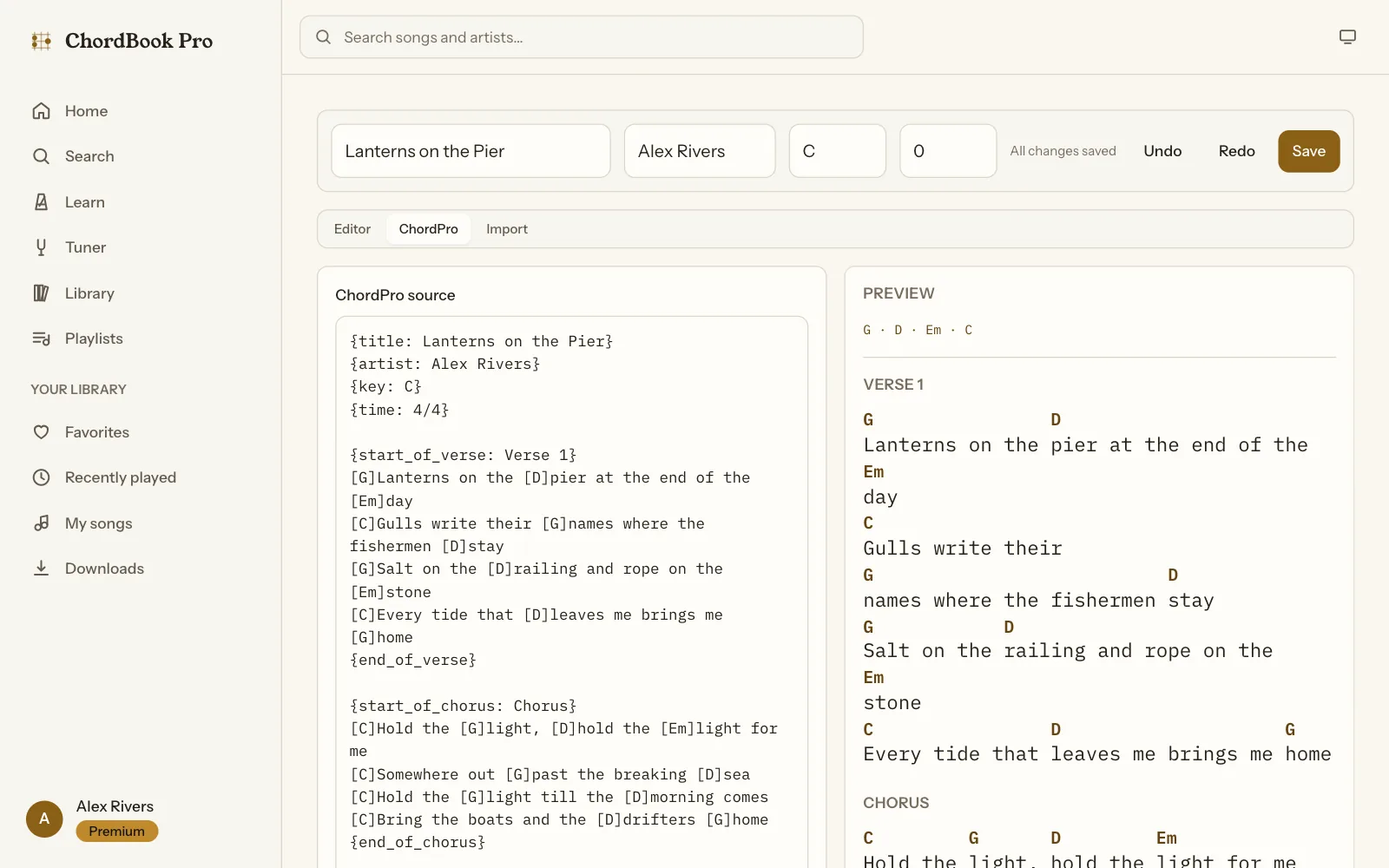
Three ways to write a song
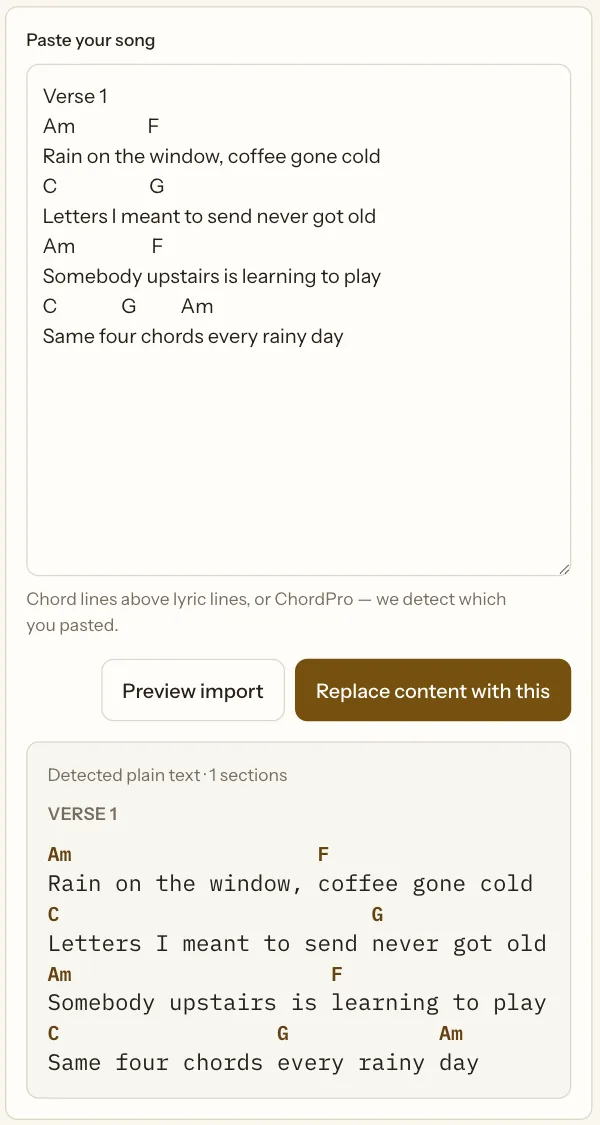
The editor has three modes over one document, each with a live preview. The structured editor places chords by clicking between letters. The ChordPro view shows the same song as ChordPro source and writes it back deterministically; unknown directives in an imported file become warnings instead of failures. Import takes ChordPro or the plain-text format most musicians already have: a line of chords above a line of lyrics. The importer decides which lines are chord lines by the share of words that parse as chord names (and flags a lone "A", which might be a word), expands tabs, and maps each chord's column onto the lyric below. A sheet pasted in a proportional font comes out aligned.
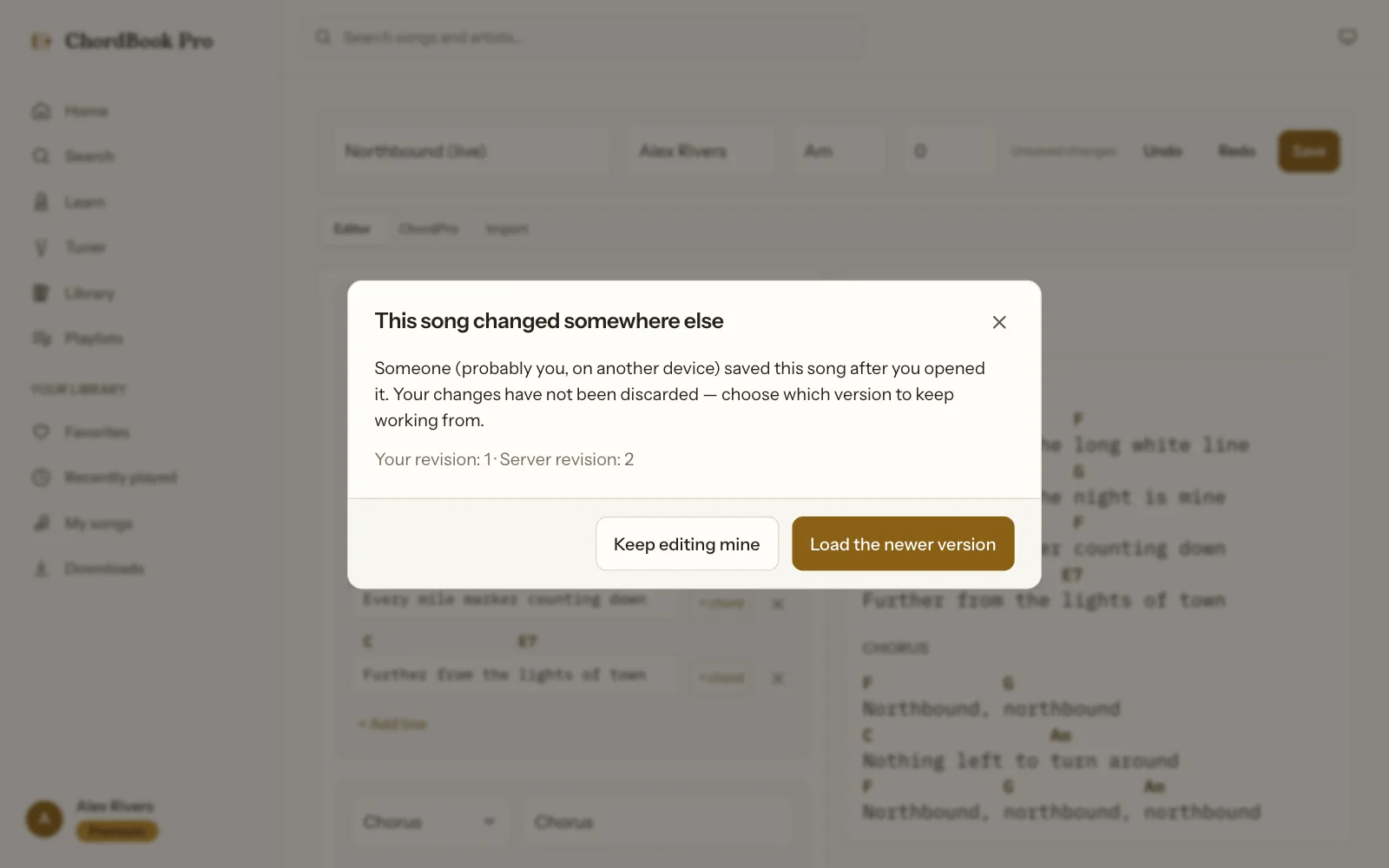
Every save carries the revision number the editor started from. The API updates the song only if that revision still matches, inside the same database filter as the write, so two devices can't silently save over each other. The second device gets a dialog instead: keep editing your version, or load the newer one. Undo and redo keep 50 steps.
A free plan that can't be gamed
The free plan is generous on purpose, so its limits have to hold. Two requests racing for the last free playlist must not both win, which means the check and the count can't be two separate steps. The claim is one conditional update in MongoDB: increment the counter only if it is still under the limit. It needs no transaction and no replica set, and a failed follow-up write hands the slot back:
export async function assertCanCreatePlaylist(user, entitlements) {
  const limit = getPlanLimits(entitlements.plan).playlists;

  // Unlimited (Premium): still count usage for the dashboard, but never gate.
  if (limit === null) {
    await User.updateOne({ _id: user._id }, { $inc: { 'usage.playlists': 1 } });
    return makeReservation(user._id, 'usage.playlists');
  }

  // When entitlement could not be verified we apply Free limits rather than
  // guessing upward, but only to *mutations*; reads stay unaffected.
  const claimed = await User.findOneAndUpdate(
    { _id: user._id, 'usage.playlists': { $lt: limit } },
    { $inc: { 'usage.playlists': 1 } },
    { new: true },
  );

  if (!claimed) {
    const current = await countPlaylists(user._id);
    throw new QuotaError(
      ERROR_CODE.PLAYLIST_LIMIT_REACHED,
      limit === 1
        ? 'The Free plan includes one playlist. Upgrade for unlimited playlists.'
        : `The Free plan supports up to ${limit} playlists.`,
      {
        plan: entitlements.plan,
        limit,
        current,
        upgradeFeature: FEATURE.UNLIMITED_PLAYLISTS,
        entitlementVerified: entitlements.verified,
      },
    );
  }

  return makeReservation(user._id, 'usage.playlists');
}
The rest of the billing design follows the same rule: the server decides.
- Premium status comes from the API, never the device. The API keeps an entitlement record for every account, refreshes it from RevenueCat when it is more than 6 hours old, and keeps serving the last known state if RevenueCat is down. After an expiry, offline downloads keep opening for a 48-hour grace period that covers store reporting delays.
- Webhooks that can't be forged or replayed. The RevenueCat webhook compares its shared secret in constant time, answers at once and processes afterwards, ignores repeat deliveries through a unique index on the event id, and re-reads the entitlement from RevenueCat instead of trusting the event's name.
- One subscription, every platform. iPhone purchases go through StoreKit and Android purchases through Google Play Billing, and the web app is wired for RevenueCat Web Billing on Stripe. All of them unlock one entitlement, so Premium bought on a phone applies on the web as soon as the purchase syncs.
- Limits open a paywall, not an error. A quota error carries a code the shared API client recognises, so both apps open the paywall for that exact limit instead of showing an error message.
- A downgrade deletes nothing. Playlists above the free limit become read-only, and the user picks which one stays editable.
Offline on stage
On the phone, the library is cached in SQLite and changes made without signal wait in a queue. When the connection returns, the queue replays each change through the normal API routes, so every quota and entitlement check still applies: going offline is not a way around the free plan. Errors that a retry can't fix (a quota, a permission, an edit conflict, any other 4xx) leave the queue and are shown to the user. Network failures retry with jittered backoff, up to 5 attempts.
export async function processQueue({ onRejected } = {}) {
  const due = await listDue();

  let succeeded = 0;
  let failed = 0;
  const rejected = [];

  for (const row of due) {
    const payload = JSON.parse(row.payload);

    try {
      await dispatch(row.kind, payload);
      await remove(row.id);
      succeeded += 1;
    } catch (error) {
      // A 4xx that is not a rate limit will fail identically forever; retrying
      // wastes battery and hides the real problem from the user.
      const permanent =
        error?.isPaywall ||
        error?.isConflict ||
        (error?.status >= 400 && error?.status < 500 && error?.status !== 429);

      if (permanent) {
        await remove(row.id);
        const entry = { kind: row.kind, payload, error };
        rejected.push(entry);
        onRejected?.(entry);
      } else {
        await recordFailure(row.id, row.attempts, error?.message);
        failed += 1;
      }
    }
  }

  return { processed: due.length, succeeded, rejected, failed };
}
Learn, and the admin behind it
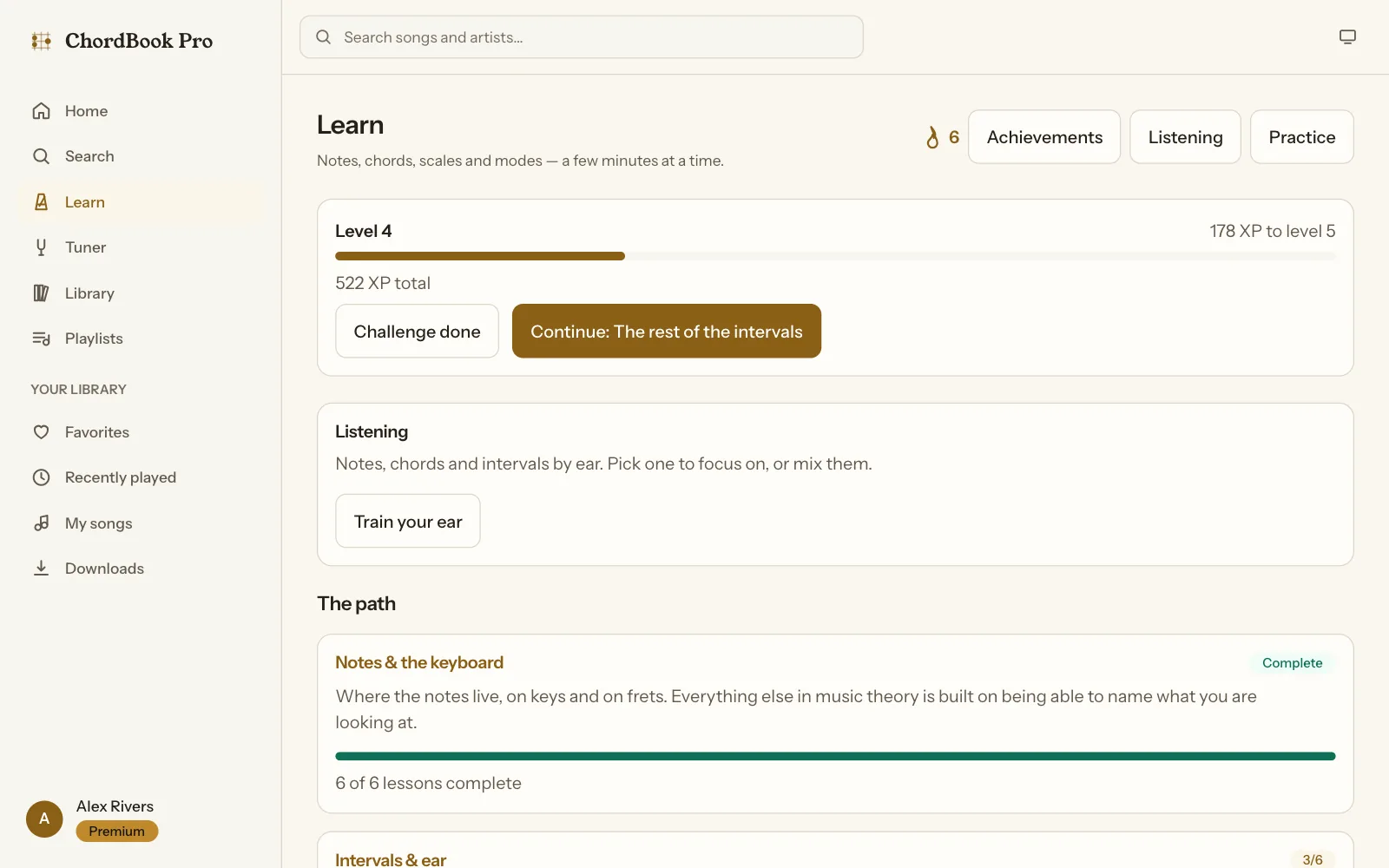
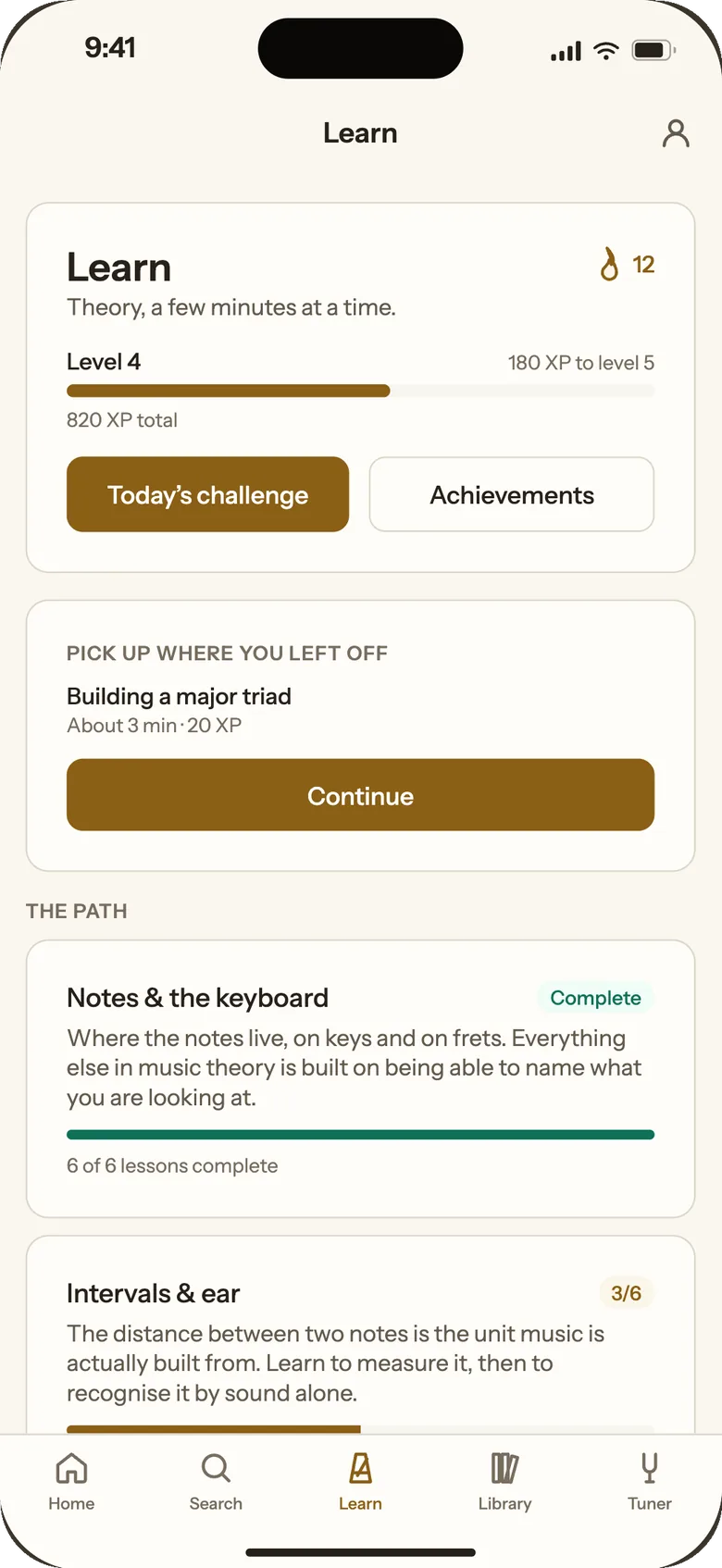
Learn is a theory course in 13 units and 80 lessons, from note names and intervals to modes, CAGED and advanced harmony, with XP, levels, streaks, badges, a daily challenge and ear training. The lessons aren't stored question lists: each one stores an exercise generator, and the chord engine produces the questions when the lesson runs. The first three units are free.
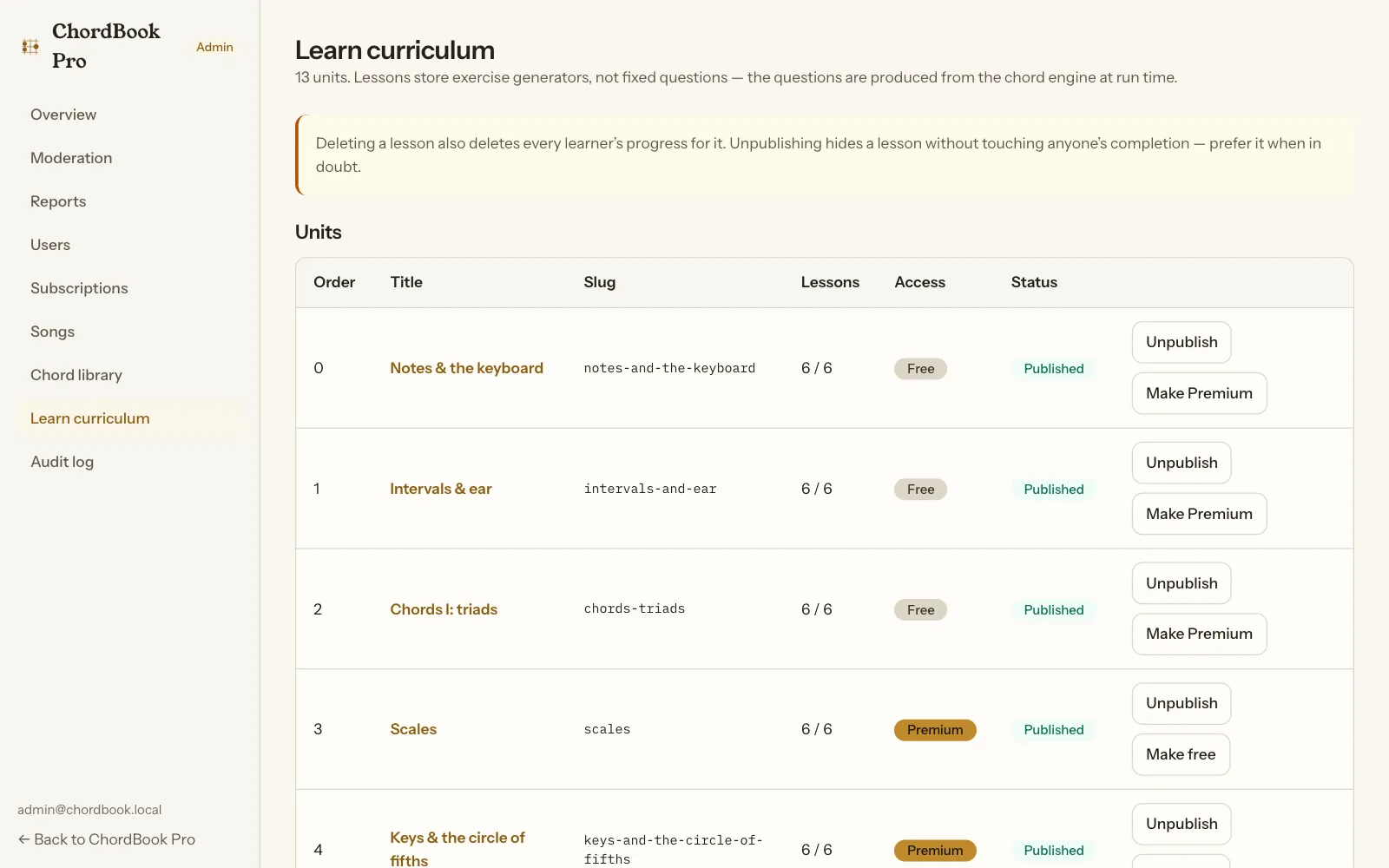
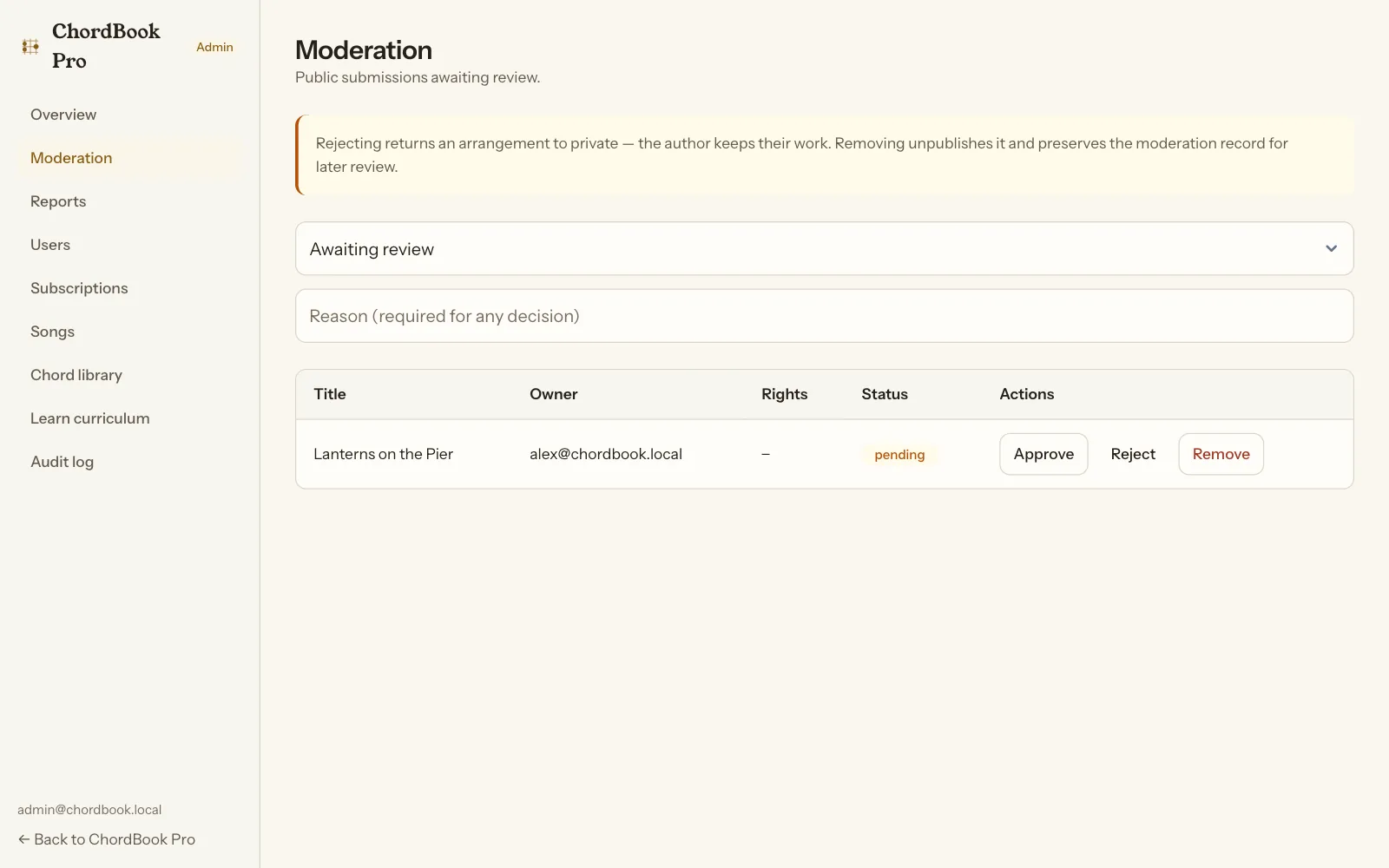
The admin covers users, subscriptions, songs, moderation, reports, the chord library, the Learn curriculum and an audit log. Songs that users submit for publishing wait in a moderation queue, and rejecting one returns it to private, so the author keeps their work. Copyright reports are triaged first.
One design system, two themes
ChordBook has its own look, "Ebony and Brass": ivory paper and brass chords in light mode, ebony and gold in dark. A design-tokens package generates the CSS for the web and the values for the phone, so both apps change together. Young Serif sets the headings, IBM Plex Mono the chords and lyrics, and Instrument Sans the interface. Users choose light, dark or the system setting.
Architecture and stack
 Web app (Vite, React 19)              iOS / Android app (Expo, React Native)
 marketing · player app · admin        SQLite library + queue of pending changes
             │                                        │
             └──────────────── HTTPS ─────────────────┘
                                 ▼
                 API (Express 5, MongoDB, Zod)
                 entitlements · quotas · webhooks · moderation
                  │                 │                     │
           Firebase Auth       RevenueCat              MongoDB
           (identity only)     (App Store, Google      (songs, playlists,
                                Play, Web Billing)      usage, Learn)

 Shared packages: chord-engine · shared · api-client · validation · design-tokens
- Web: Vite, React 19, React Router 7, TanStack Query, Zustand, react-hook-form with Zod, dnd-kit for drag and drop, and CSS Modules over the generated tokens. The marketing site, the player app and the admin are separately loaded route trees, so a visitor to the home page never downloads the editor.
- Mobile: Expo SDK 57 and React Native 0.86 with the New Architecture, Expo Router, React Native Firebase, RevenueCat, expo-sqlite, expo-audio and the custom Kotlin microphone module.
- API: Express 5, Mongoose, firebase-admin, Zod, helmet, rate limits and structured logging; 106 routes over 17 models, under PM2 behind nginx.
- Shared packages: the chord engine, plan limits and app config, the API client with its error types, the Zod schemas both apps validate against, and the design tokens. They are plain ES modules that Vite, Node and Metro import directly.
- Who owns what: Firebase handles sign-in only (email, Google and Apple), MongoDB holds all app data, RevenueCat owns purchases, and the API decides what each account may do. The Firebase user id is the RevenueCat user id on every platform.
Shipping to the stores
- Microphone for the tuner only. The permission text says the audio is analysed on the device and is never recorded, stored or sent, and background recording is off.
- No advertising or analytics SDK in the app.
- Account deletion in the app and on the web.
- A minimum-version gate. The API reads the lowest supported app version from Firebase Remote Config. If the policy can't be read for any reason, nobody is blocked: the gate fails open.
- iPhone, iPad and Android, with landscape allowed because music is often read on stage in landscape.
- One release script for the mobile app, a script that generates every icon, splash and store graphic, and a check that fails if the app's name or identifiers drift between the mobile config and the shared config.
How we verify it without a test framework
ChordBook has no Jest or Vitest, on purpose: a check fails the build if one is added. It is verified by scripts that run against the real code, chained into one npm run verify:
- The tuner check (1,197 lines, 136 expect calls) runs the detector on synthesized guitar signals, including a string with a missing fundamental, the case that breaks YIN and spectral peak picking. It also checks the gating and smoothing, and asserts that the detector allocates nothing per frame.
- The seed check replays every guitar voicing against the interval tables, so a shape that doesn't spell its chord fails the build.
- Brand parity, the app-version policy and a no-TypeScript rule, then ESLint and the production web build.
The marketing site
The web app's public pages are the marketing site: home, features, guitar and piano pages, pricing, FAQ, download and the legal pages. They live in the same app as the player but load separately, and the home page sets an original demonstration song as a live chord sheet beside the headline, not a picture of one.
What made it work
Two decisions carried this product. First, the music lives in one place: a chord engine written once in plain JavaScript and imported by the web app, the phone app and the server alike. Parsing, transposition, ChordPro, voicings and pitch detection behave identically everywhere because they are the same code. Second, the server is the only authority on what an account may do. Quotas are claimed atomically, entitlements are decided server-side from RevenueCat, the offline queue replays through the same routes as everything else, and a lost connection or a second device can never turn into a free Premium or a lost edit. The result is a chord book a musician can trust on stage, a free plan generous enough to keep, and limits that hold.
Deliverables
- Web app (React 19, Vite): marketing site, player app and admin, split into separately loaded route trees
- iOS and Android app (Expo SDK 57, React Native 0.86, New Architecture) with an offline SQLite library and a queue of pending changes
- Chord engine shared by every platform: chord parser, key-aware transposition, capo maths, ChordPro import and export, plain-text import, guitar and piano voicings
- Reader with chords over every word, tap-a-chord guitar and piano diagrams, transpose, capo, three display modes and left-handed diagrams
- Editor with structured, ChordPro and import modes, live preview, 50-step undo and revision-checked saves with a conflict dialog
- Playlists and setlists with drag-to-reorder, per-song notes and per-song transpose; performance mode with keep-awake and auto-scroll
- Chromatic tuner: McLeod Pitch Method detector, 33 tunings for 6, 7 and 8 strings, reference tones, native Android microphone capture
- Learn: 13 units and 80 lessons whose questions the chord engine generates, with XP, levels, streaks, badges and ear training
- Free plan and Premium subscription through RevenueCat (StoreKit, Google Play Billing, Web Billing), server-side entitlements, webhook processing and paywalls
- Express 5 and MongoDB API: 106 routes, 17 models, Zod schemas shared with both apps, rate limits, moderation and reports
- Store releases: privacy answers, microphone permission copy, in-app account deletion and a minimum-version gate