
Mobile Health Product, iOS + Android
Kalora
A calorie & macro tracker for iOS and Android built around the 'Kalora Day': a tracking day that starts and ends when the user says so, not at midnight. Type or speak a meal in plain English and a secure AI pipeline estimates per-item calories and macros, with mandatory human review, and a server that never trusts the model to do math.
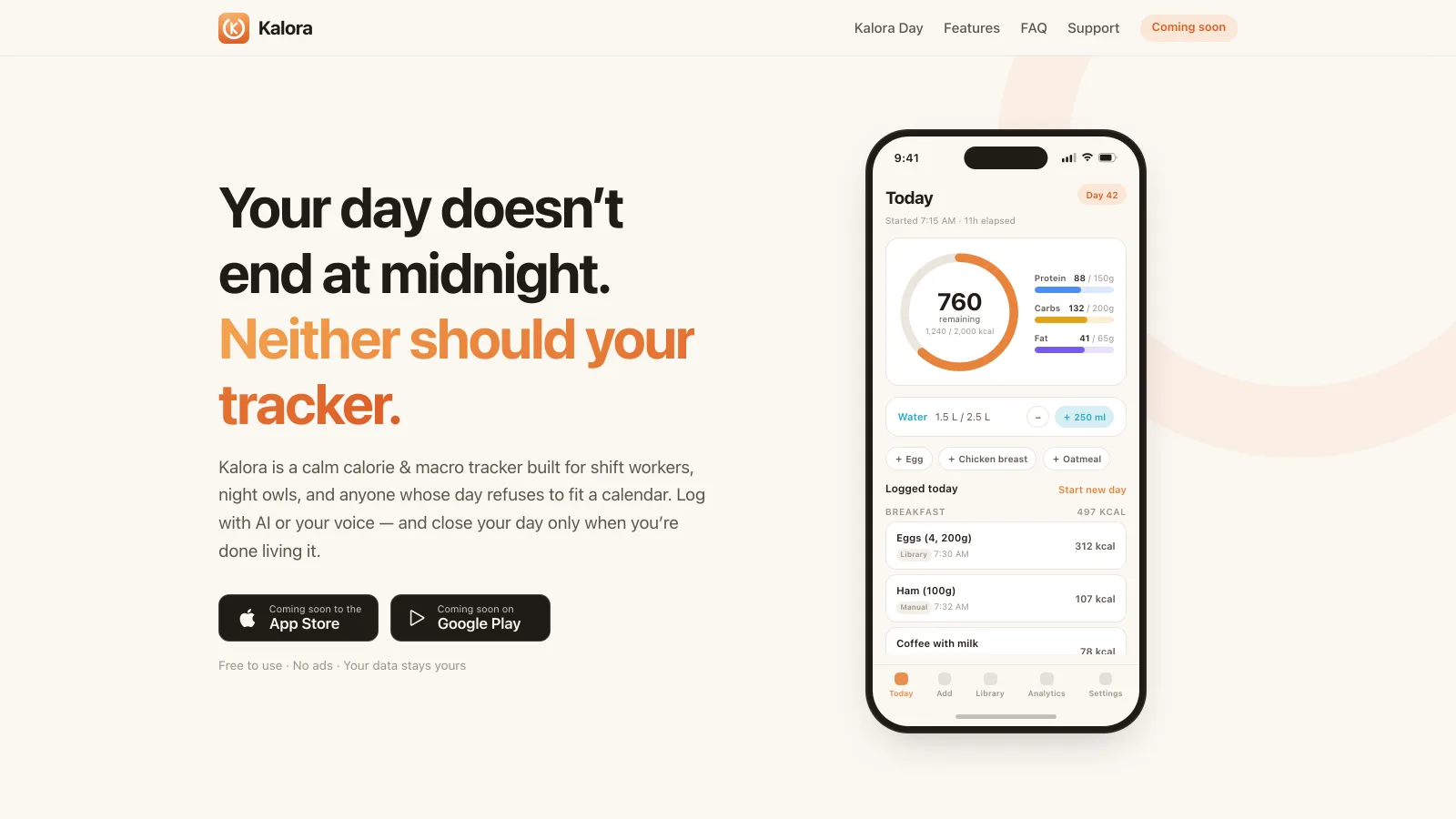
Executive summary
- Challenge
- Every calorie tracker resets at midnight, which breaks the numbers for shift workers and night owls. Kalora needed a tracking day the user controls, AI-assisted meal logging that never trusts the model blindly, and a production-grade app on both platforms.
- Solution
- An Expo/React Native app in strict TypeScript with 25+ screens, a Firebase backend with offline-first Firestore, and a Cloud Function pipeline that authenticates, validates, rate-limits and reconciles every OpenAI meal estimate before a human confirms it, plus the kalora.fit marketing site.
- Result
- Production-grade iOS and Android app with the kalora.fit site.
- Our role
- Product, mobile engineering, Firebase backend, AI pipeline and marketing site. Designed, built and operated by RiseGravity.
- Scope
- iOS/Android appFirebase backend & Cloud FunctionsAI meal-logging pipelineOn-device voice dictationAnalyticsMarketing website
- Key complexity
- User-controlled 'Kalora Day' engine implemented as pure, unit-tested logicServer-side AI gauntlet: auth, zod validation, per-user quota in a Firestore transaction, total reconciliationThree custom Expo config plugins, iOS privacy manifest, 60+ Jest testsFull light/dark theming with offline persistence on both platforms
Technical deep dive
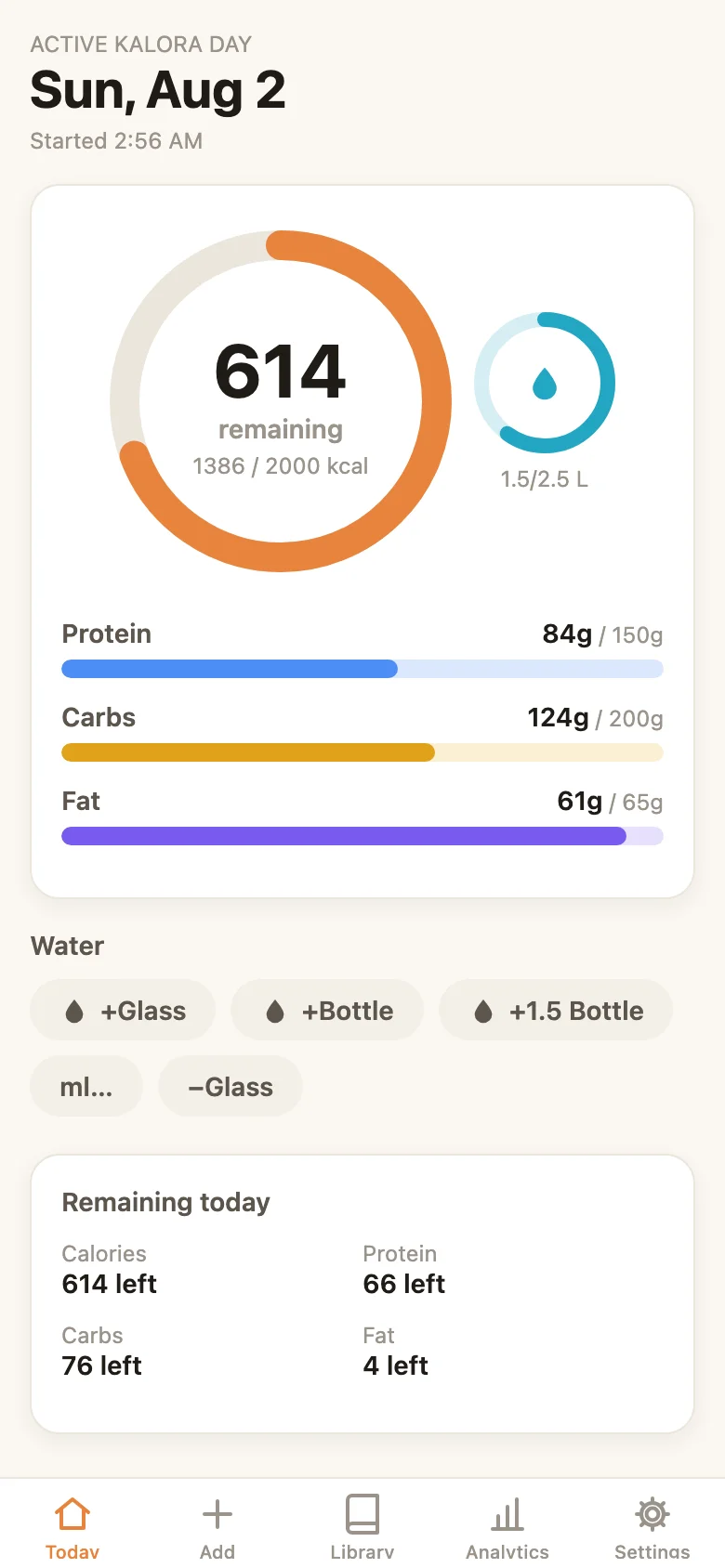
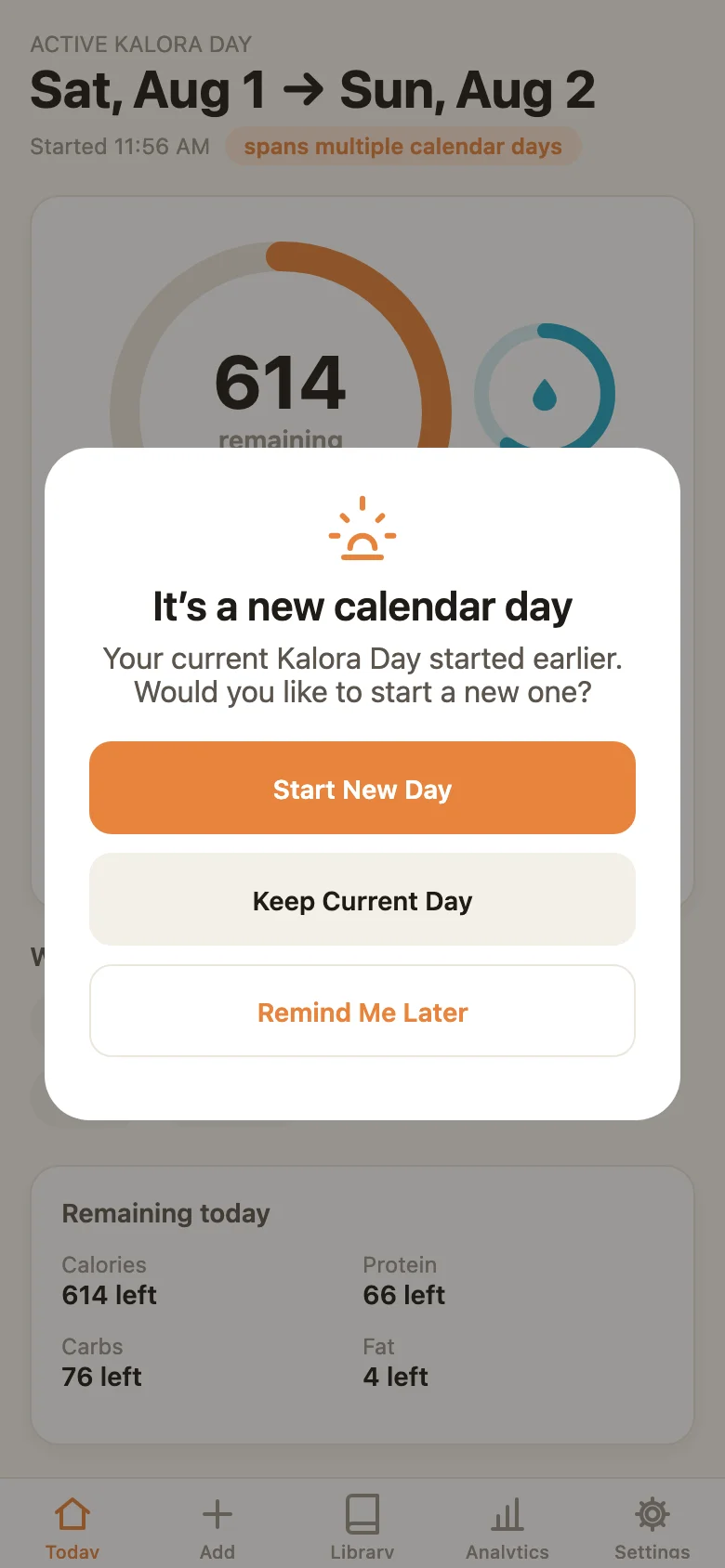
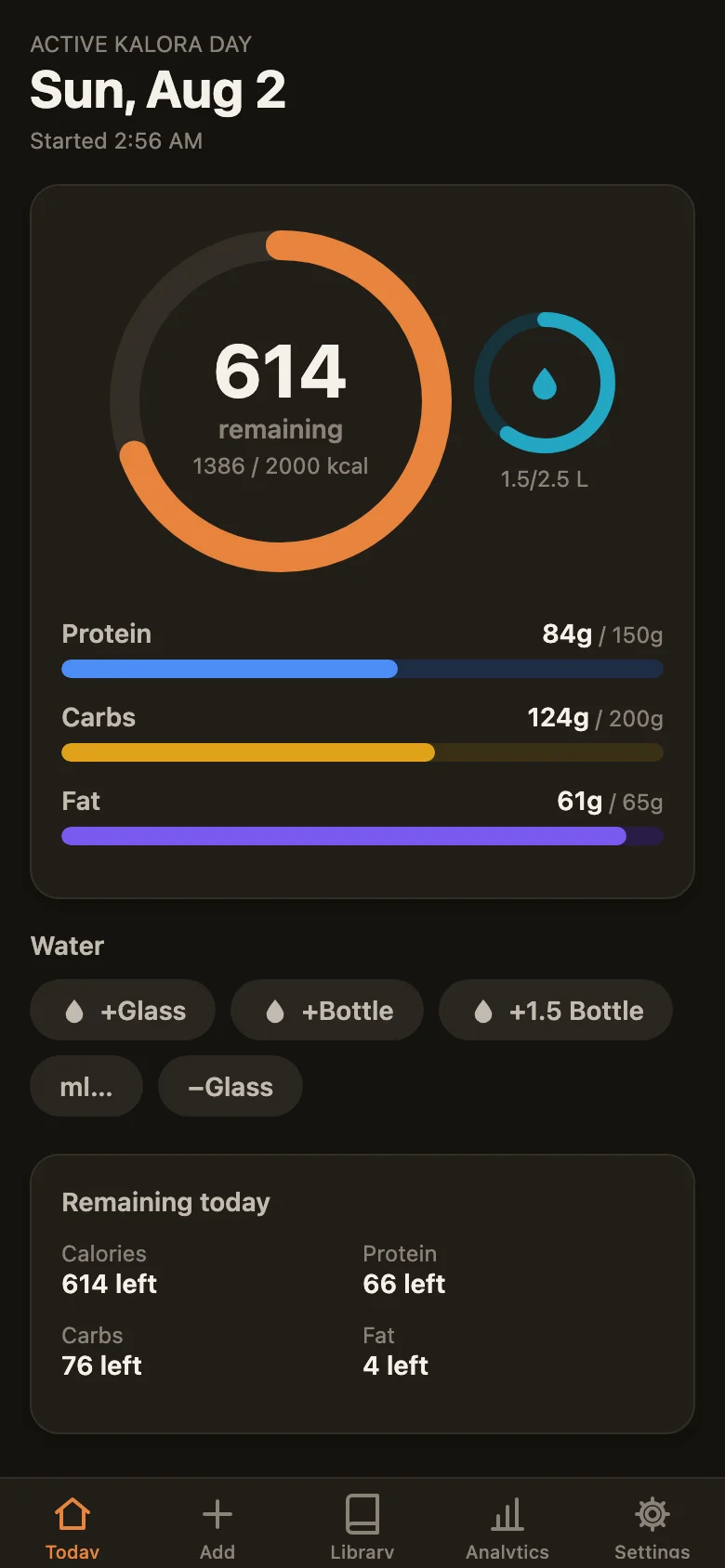
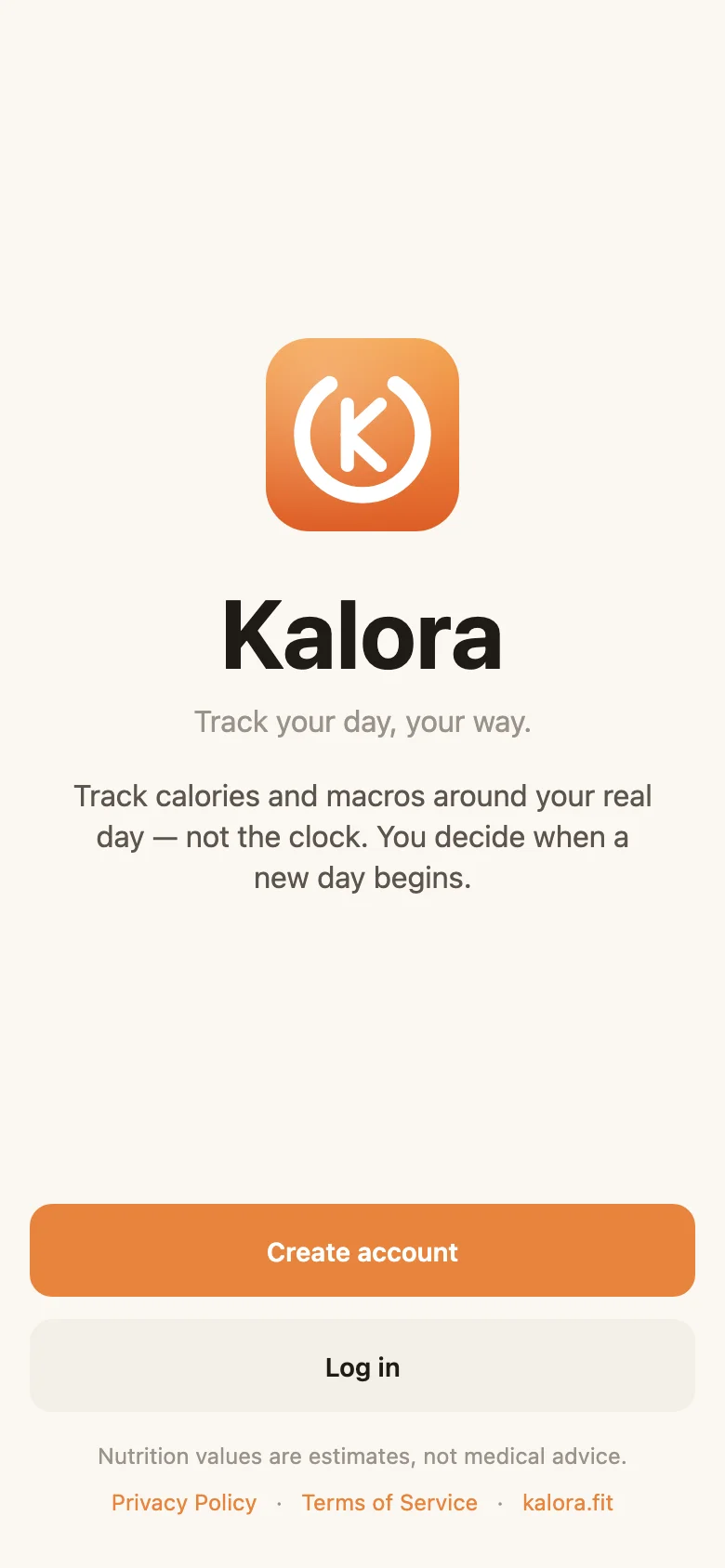
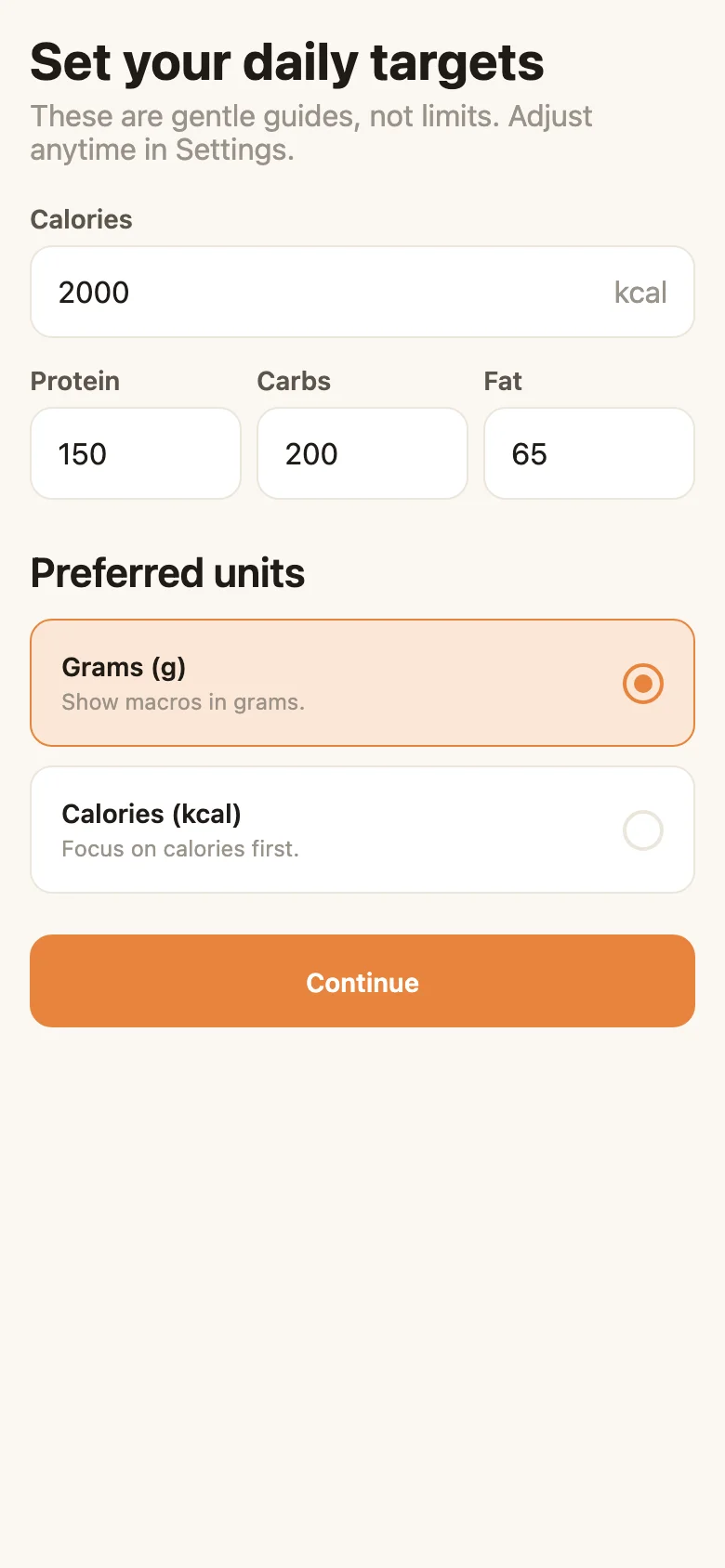
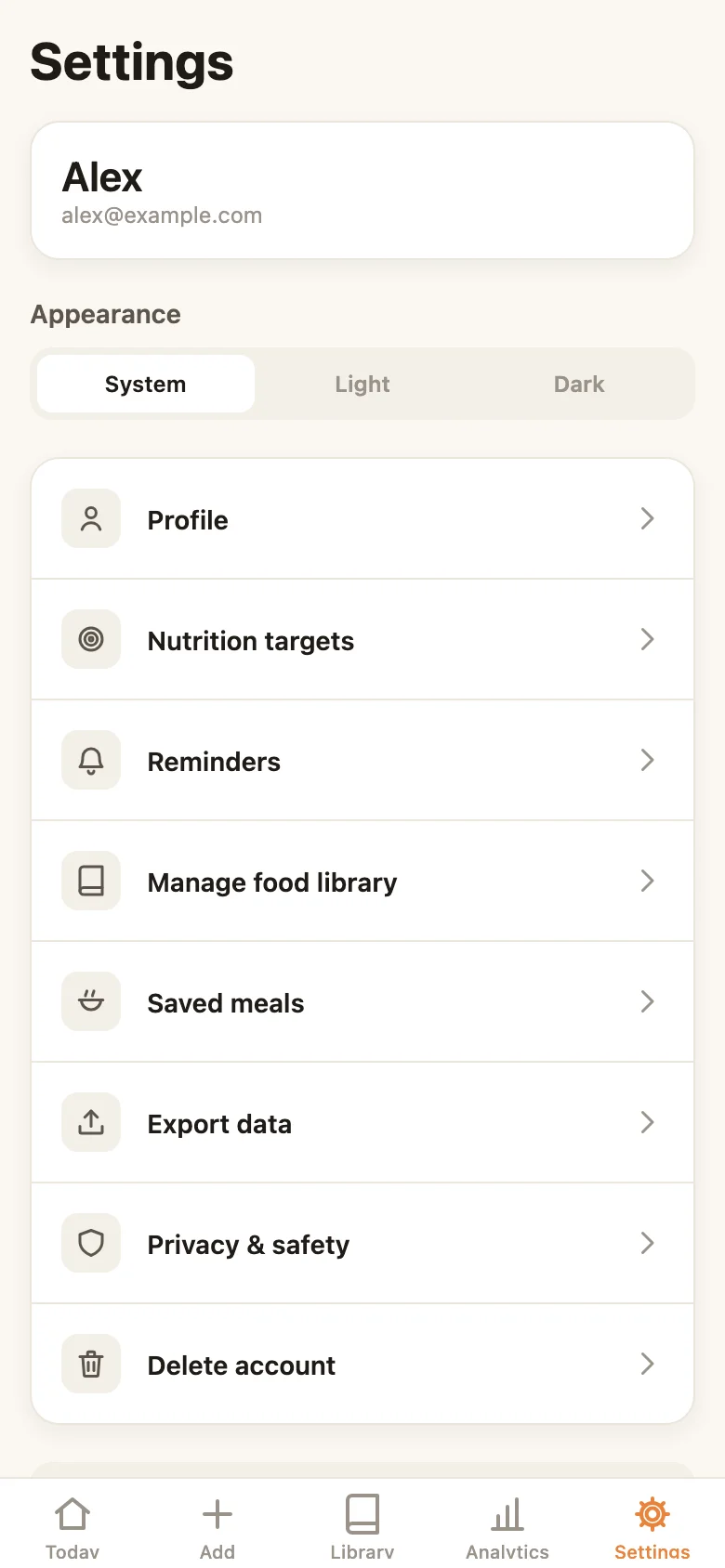
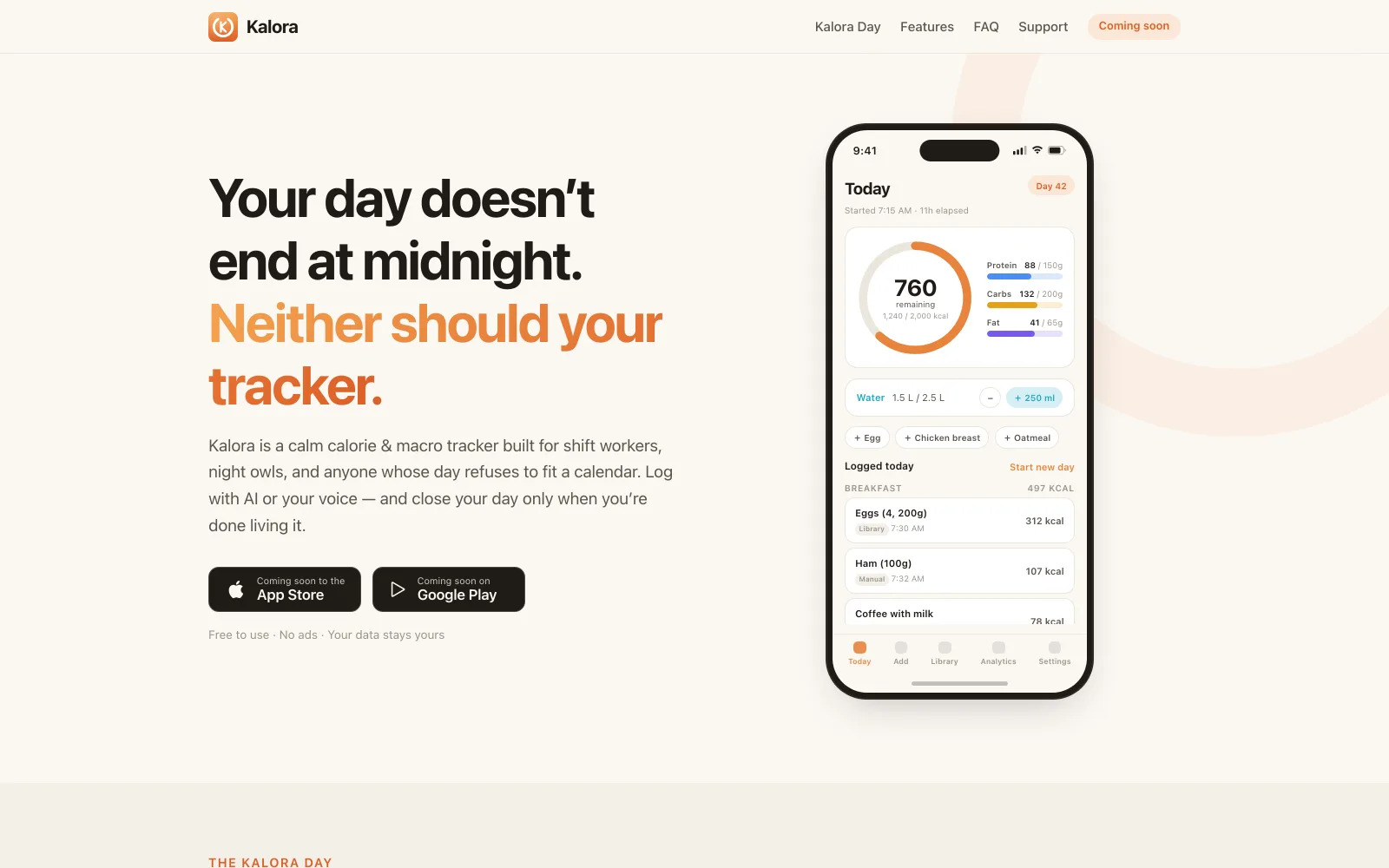
The phone screenshots below are the app's real production screens — the actual React Native codebase rendered in the browser via react-native-web against a seeded demo dataset, captured for this case study without touching a simulator. The wide shots are the kalora.fit marketing site, which we also designed and built.
Overview
Every calorie tracker resets at midnight. If you eat dinner at 1 AM after a late shift, it lands in "tomorrow" — your numbers for both days are wrong, and the app quietly tells you your life is shaped wrong. Kalora starts from the opposite premise: the Kalora Day is a tracking day that opens when you start it and closes when you say you're done. Built for shift workers, night owls, and anyone whose day refuses to fit a calendar.
Around that one idea we shipped the complete product: a production-grade iOS and Android app — manual and AI-powered food logging, on-device voice dictation, a personal food library and saved meals, water tracking, nutrition targets, full light/dark theming, and analytics computed per Kalora Day — plus the Firebase backend behind it and the kalora.fit marketing site in front of it.
The Kalora Day
The Today screen is home: a calorie ring with remaining energy, a water ring beside it, per-macro progress bars, one-tap water chips, and the day's log grouped by meal. Crossing midnight does exactly one thing — it surfaces a calm, three-choice prompt: Start New Day, Keep Current Day, or Remind Me Later. Nothing happens automatically, nothing is ever closed for you, and the header simply notes that the day now "spans multiple calendar days." The entire decision — when to prompt, when to stay quiet, how snoozing behaves — lives in pure, side-effect-free functions (shouldShowRolloverPrompt and friends) with their own unit-test suite.
AI meal logging — plain English in, reviewed macros out
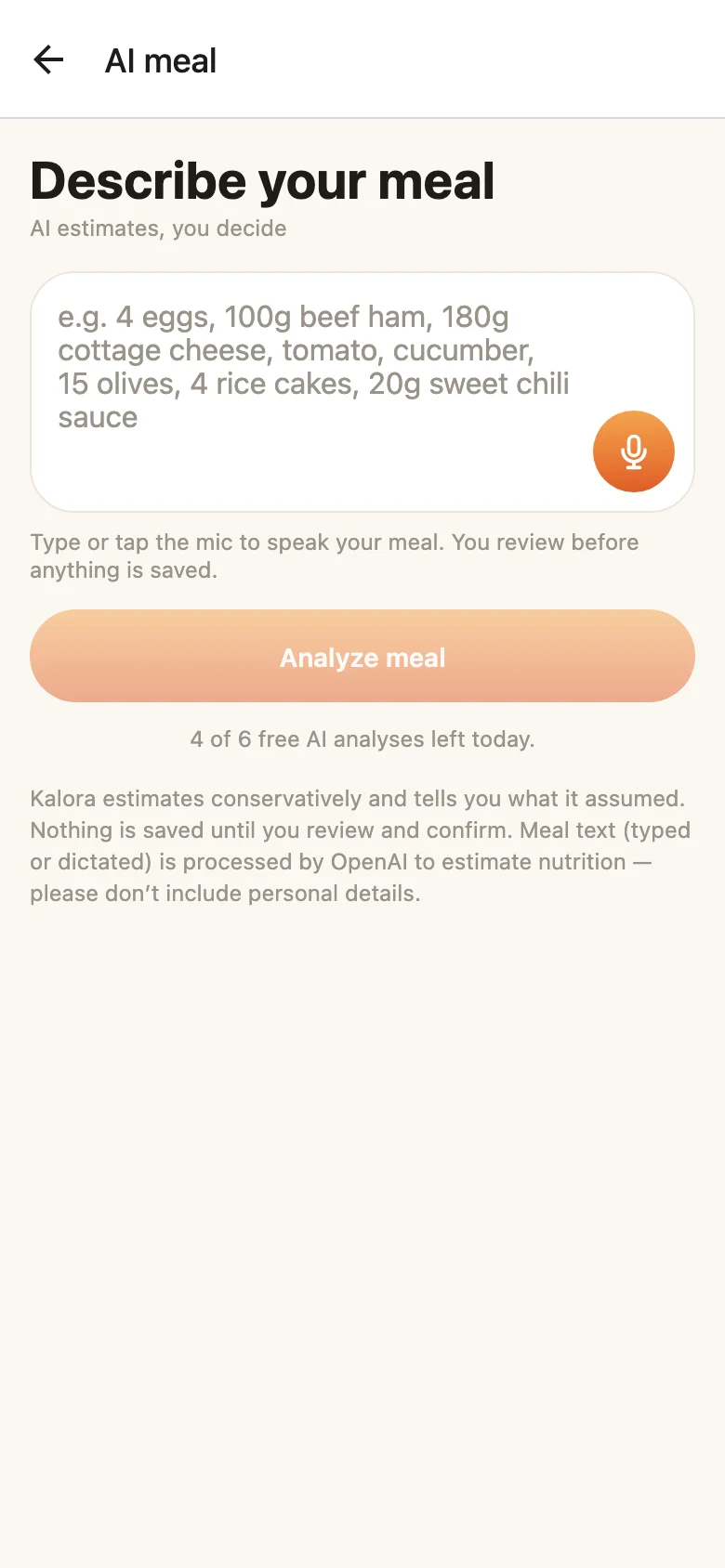
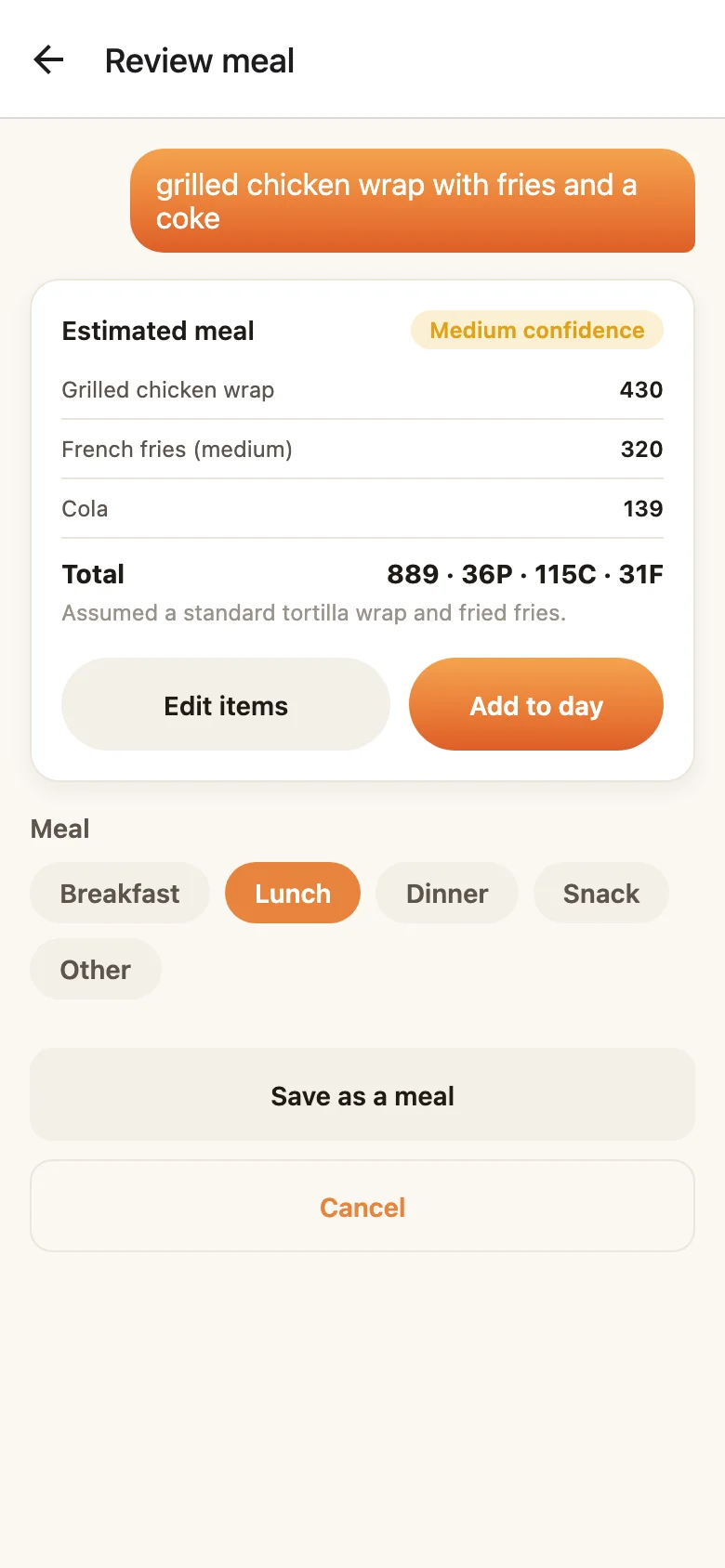
Type "grilled chicken wrap with fries and a coke" — or tap the mic and say it; dictation is transcribed on-device on both platforms. A Firebase Cloud Function sends the text to OpenAI in JSON mode and returns a per-item breakdown: calories for each food, the assumptions the model made ("assumed a standard tortilla wrap and fried fries"), and a confidence badge. The review screen makes the human the last step: edit any item, pick the meal, save it as a reusable meal — and only then does the whole multi-item entry land in a single Firestore transaction, atomically or not at all. The free tier's "4 of 6 free AI analyses left today" hint is read live from the server's own quota document.
Under the hood: an AI pipeline that trusts nothing
The analyzeMeal function is the part of the codebase we'd show first. The OpenAI key never ships in the app binary — the client can only reach a callable Cloud Function that runs a strict gauntlet: auth check → zod validation with length caps on every string (so a hostile client can't inflate token spend) → a per-user daily quota enforced inside a Firestore transaction (6 free analyses per day, with the limit written into the quota doc so the app can display the server's number, not a hardcoded copy) → OpenAI in JSON mode → the model's raw JSON re-parsed against a strict zod schema before anything is returned.
And because a language model will occasionally slip on arithmetic, the server never trusts it to add: totals are recomputed from the per-item estimates before the response leaves the function.
/**
 * Recompute totals from items so the returned totals are always internally
 * consistent, regardless of small arithmetic slips by the model.
 */
export function reconcileTotals(result: AiMealResult): AiMealResult {
  const totals = result.items.reduce(
    (acc, it) => ({
      calories: acc.calories + it.calories,
      protein: acc.protein + it.protein,
      carbs: acc.carbs + it.carbs,
      fat: acc.fat + it.fat,
    }),
    { calories: 0, protein: 0, carbs: 0, fat: 0 },
  );
  return {
    ...result,
    totals: {
      calories: Math.round(totals.calories),
      protein: Math.round(totals.protein * 10) / 10,
      carbs: Math.round(totals.carbs * 10) / 10,
      fat: Math.round(totals.fat * 10) / 10,
    },
  };
}
The same philosophy is written into the system prompt itself: "You NEVER add anything to the user's day. The user will review and confirm your estimate." The AI proposes; the human disposes.
Analytics that respect the Kalora Day
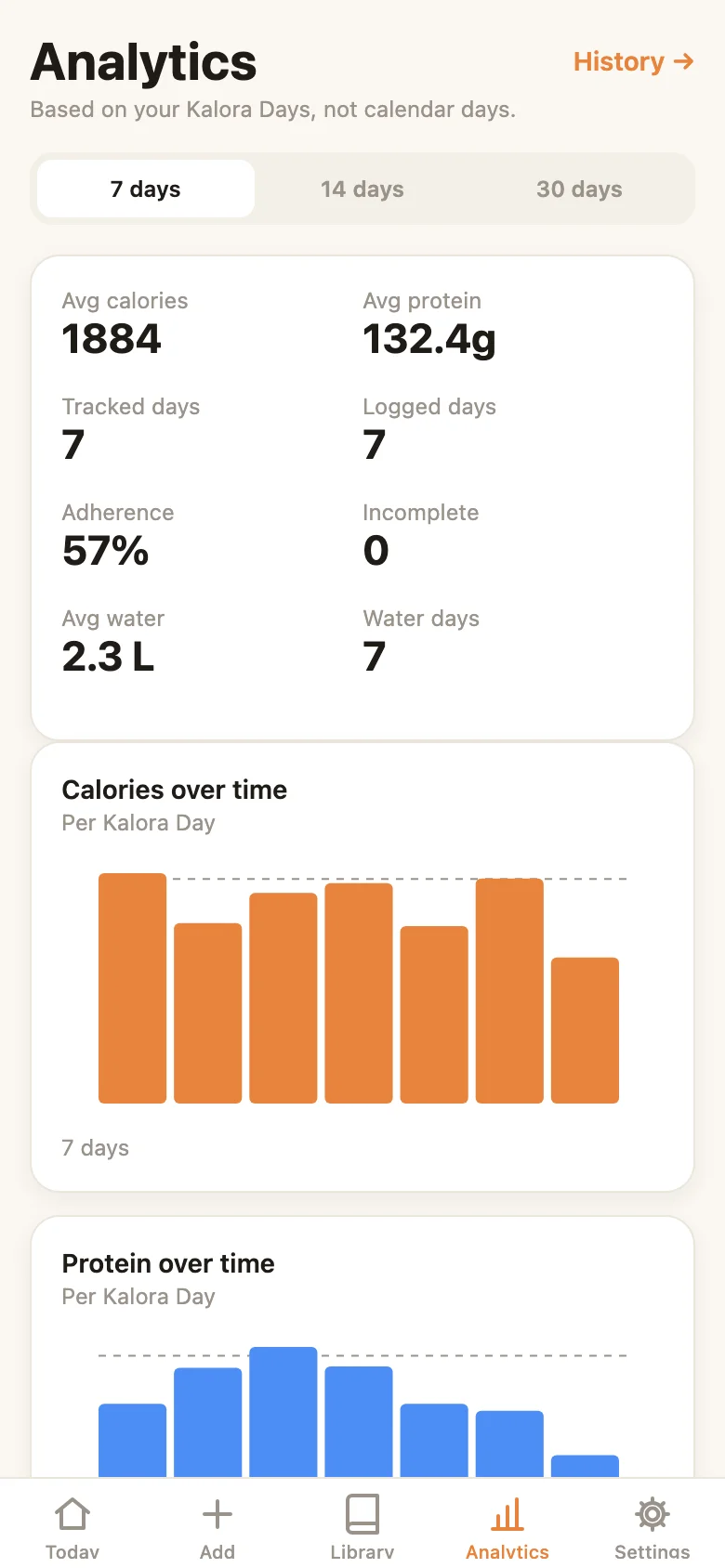
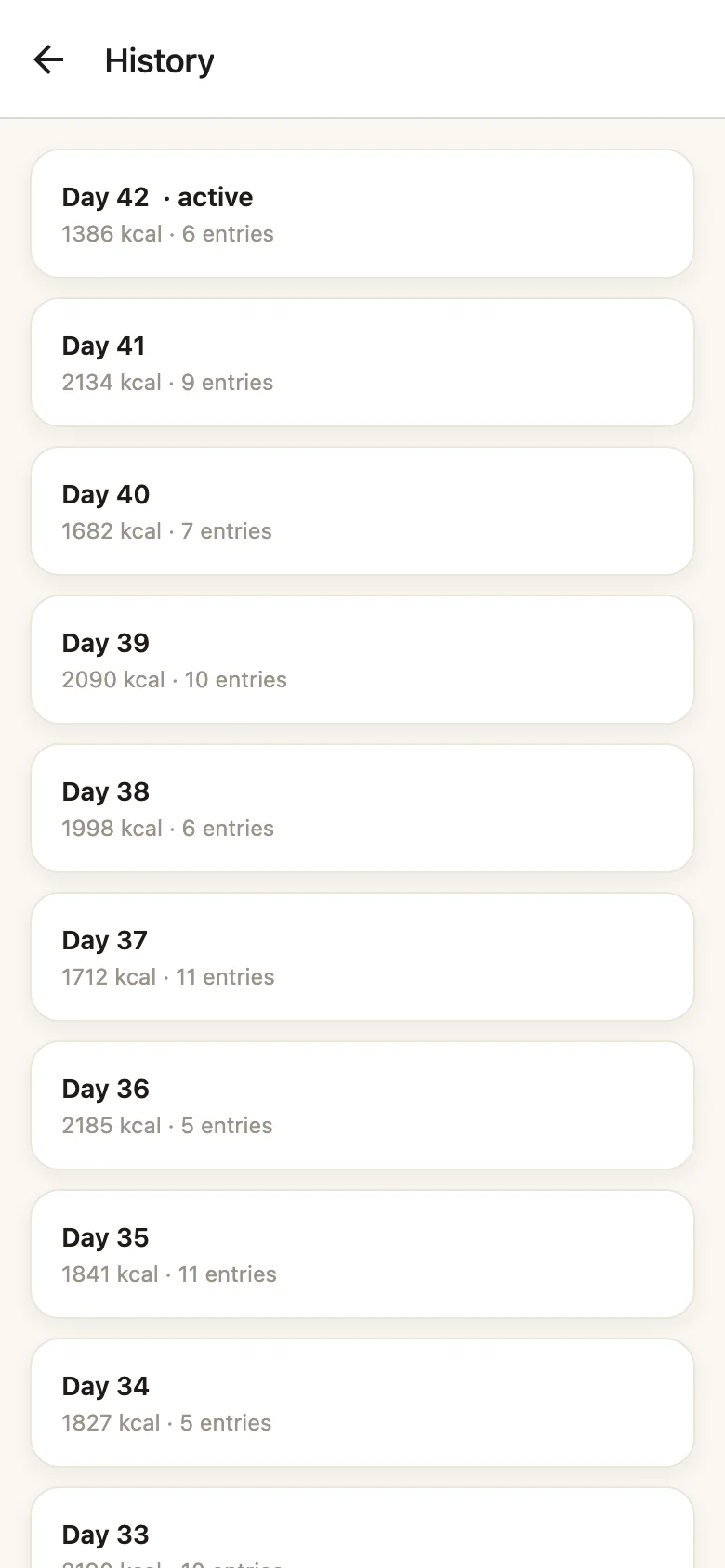
Averages, adherence, and charts are computed per Kalora Day, not per calendar day — so a 26-hour Saturday doesn't wreck the numbers. The Analytics tab shows 7/14/30-day views of calories, protein, and water with the user's target drawn right on the chart, every bar hand-rolled with react-native-svg (no chart library). History is a cursor-paginated infinite scroll of every tracking day, and each day drills down into an editable detail view — rename the day, add notes, review every entry.
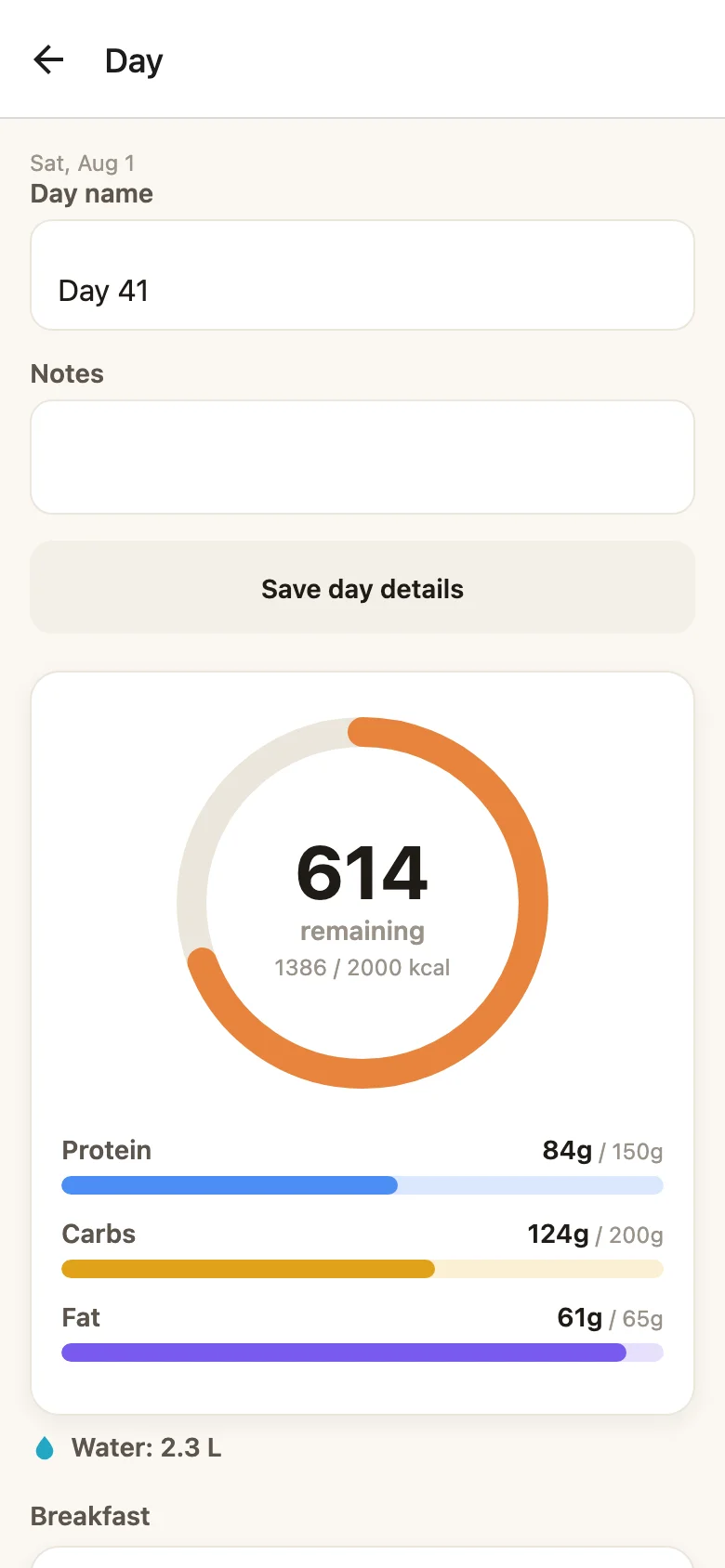
Four ways to log, one library
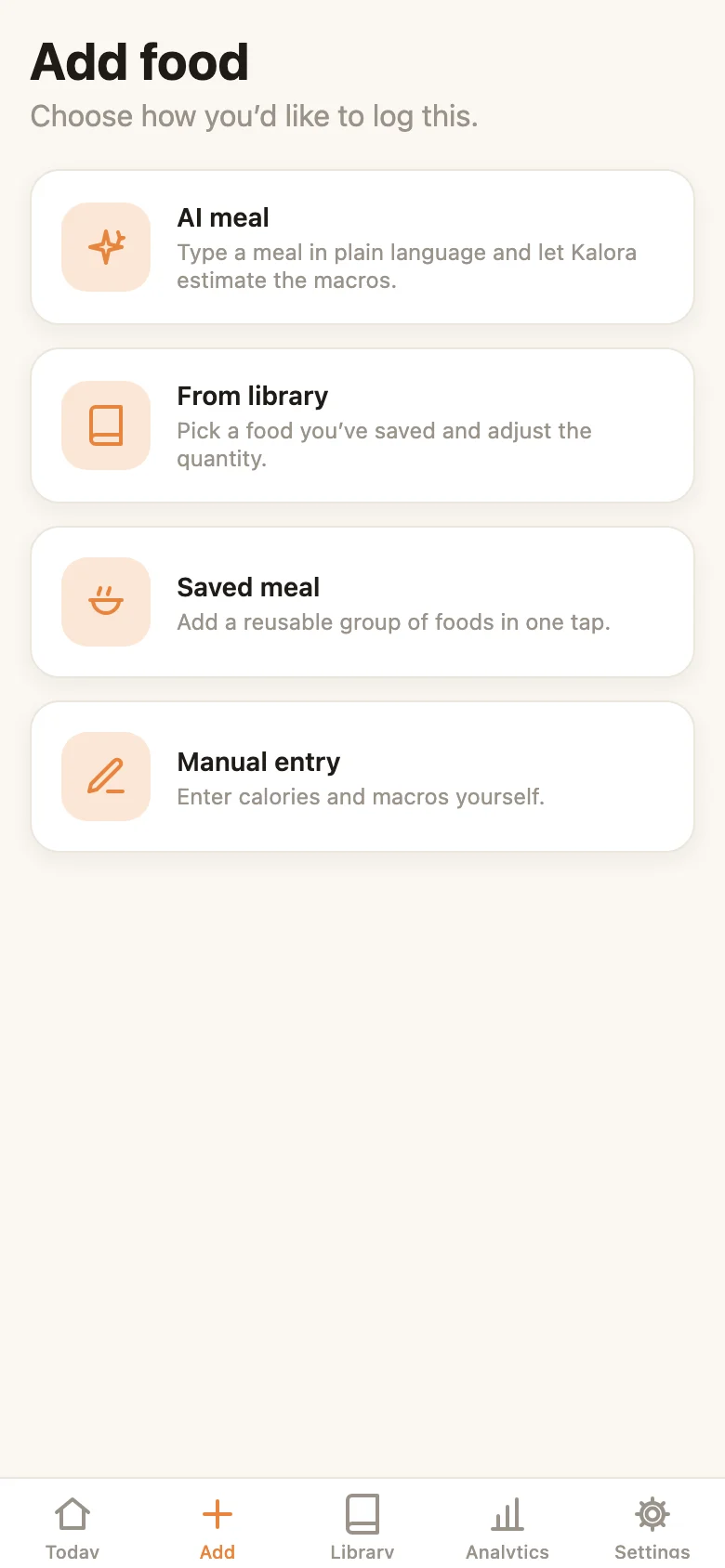
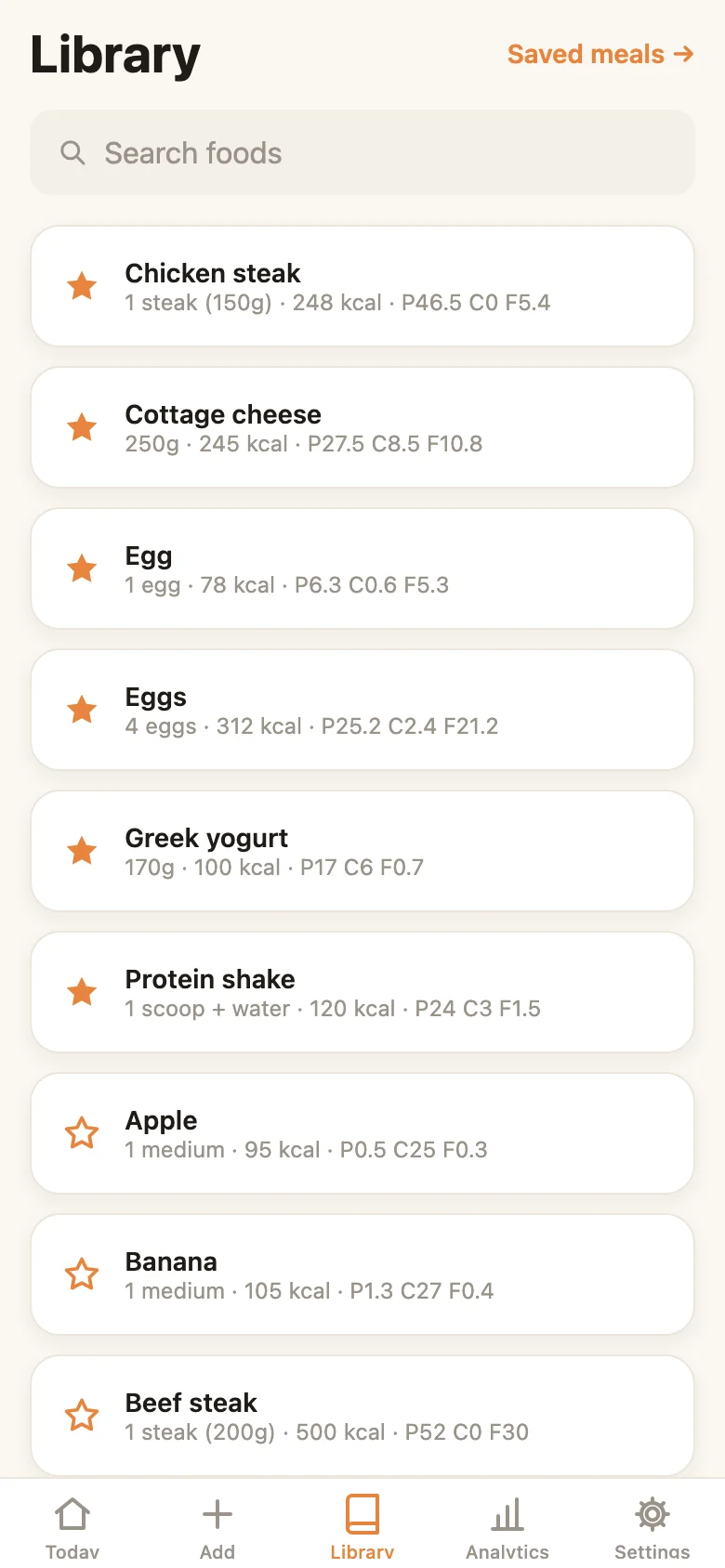
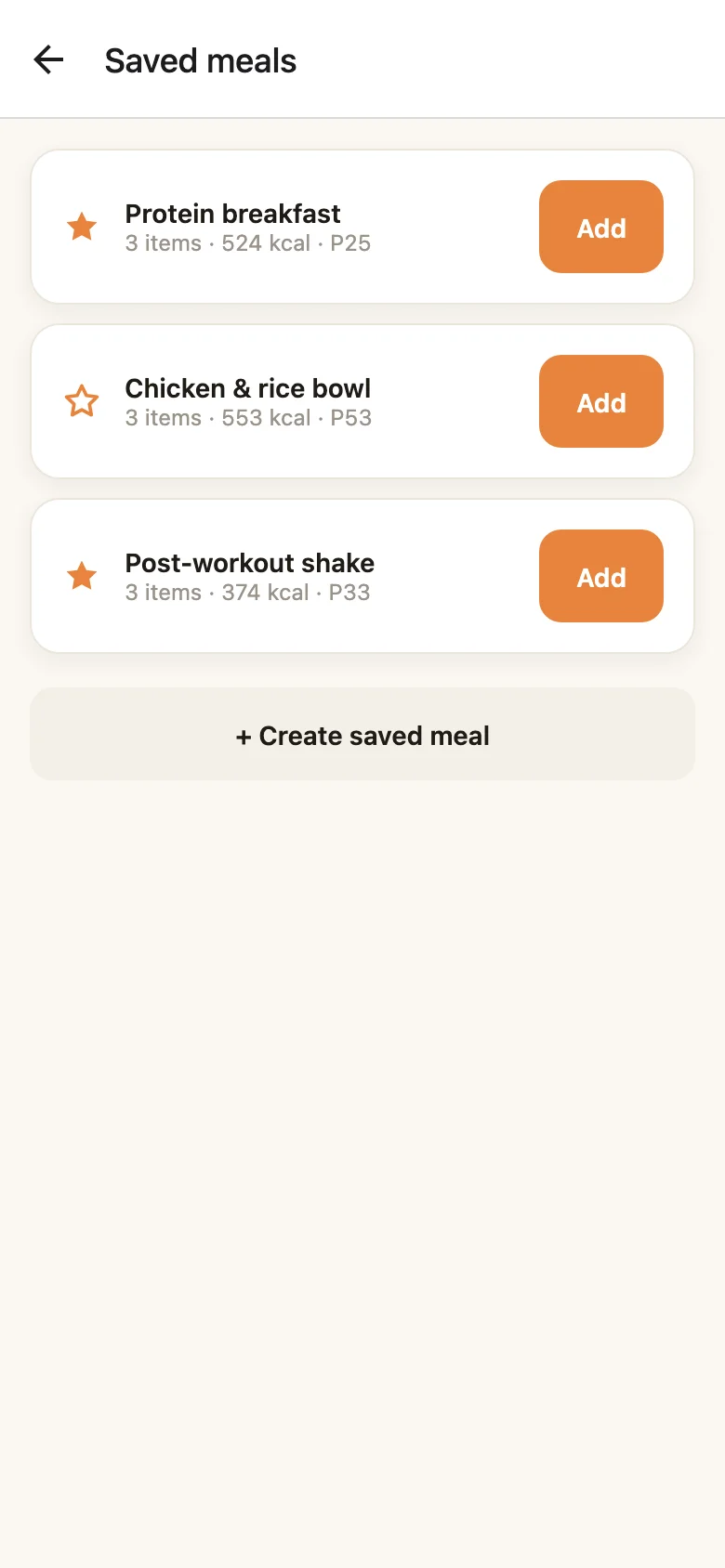
The Add hub offers four paths — AI meal, from the library, a saved meal, or manual entry — and all of them converge on the same typed food-entry model. The library ships with 22 seeded foods, supports favorites and search, and any combination of foods can be saved as a one-tap multi-item meal.
From onboarding to settings, the app keeps the same calm, judgment-free tone — targets are "gentle guides, not limits," and the settings surface covers profile, nutrition targets, reminders, data export, privacy, and full account deletion.
Architecture & tech
iOS / Android app (Expo SDK 52 · RN 0.76 · TypeScript strict)
        │  React Native Firebase (native SDK, offline persistence)
        ▼
   Firestore  ◄──────────────  Cloud Functions
   (users, days, entries,      analyzeMeal ── OpenAI (JSON mode)
    food library, meals,       deleteAccount
    AI quota docs)             quota / audit log
- Mobile — Expo SDK 52 custom dev build with the New Architecture enabled; React Navigation 7 (native stack + bottom tabs); Zustand for client state, TanStack Query for async flows, Firestore realtime listeners for server state; react-hook-form + zod, with the zod schemas doubling as the TypeScript types and the form validators; charts hand-rolled with react-native-svg — no chart library, no icon library (every icon is a hand-authored SVG glyph), no custom fonts.
- Backend — Firebase: email/Google/Apple auth, Firestore with offline persistence, Cloud Functions for everything sensitive (AI, account deletion). Typed repository modules are the only code that touches Firestore.
- Domain logic — the calorie/macro math, day totals, rollover rules, analytics, and AI quota logic live in
src/lib/as pure functions with 60+ Jest unit tests; screens and hooks stay thin. - Voice — on-device speech recognition on both platforms, including a hard-won workaround for Android resetting its speech buffer after every pause in dictation.
- Native engineering — three custom Expo config plugins (entitlement handling for signing, an analytics pod selected without IDFA so there's no tracking prompt, a Kotlin version pin) plus a full iOS privacy manifest. Local-only notifications, CSV/JSON data export, and server-side account deletion round out the store-readiness checklist.
That clean layering paid an unexpected dividend: because every screen reads data through one repository seam and all domain logic is pure, we could render the entire production app in a browser via react-native-web with the data layer swapped for fixtures — which is exactly how every app screenshot on this page was made.
The marketing site
We also designed and built kalora.fit — a fast static marketing site (React + Vite, pre-rendered to HTML) that sells the Kalora Day idea before the stores do. Instead of static screenshots, its hero and feature sections render live React/SVG phone mockups of the app's screens, driven by the same numbers the product logic produces. FAQ with JSON-LD structured data, privacy/terms/data-deletion pages, and a store-readiness checklist complete the launch package.
What made it work
Two decisions carried this project. First, building the product around a single opinion — the user, not the clock, owns the day — and enforcing it everywhere, from the rollover prompt's "nothing happens automatically" to analytics that aggregate per Kalora Day. Second, drawing a hard line between what runs where: pure, tested domain logic in the app; anything involving secrets, money, or trust — the OpenAI key, the quota, the math — behind a Cloud Function that validates on the way in and reconciles on the way out. The result is an AI feature that feels magical to use and boring to operate, a codebase clean enough to run in a browser for its own case study, and a launch package — app, backend, and website — that speaks with one voice.
Deliverables
- iOS/Android app (Expo SDK 52 / React Native 0.76, TypeScript strict, New Architecture): 25+ screens across 5 tabs: Today, Add, Library, Analytics, Settings
- The 'Kalora Day' engine: user-controlled tracking days with a gentle, never-forced midnight rollover prompt, implemented as pure, unit-tested logic
- AI meal logging: type or dictate a meal; a Cloud Function pipeline (auth → zod validation → per-user daily quota → OpenAI JSON mode → server-side total reconciliation) returns per-item estimates with confidence badges and mandatory review before anything is saved
- On-device voice dictation (iOS + Android), including a fix for Android's speech buffer resetting after every pause
- Personal food library with 22 seeded foods, saved multi-item meals, water tracking, nutrition targets & goals
- Analytics hand-rolled with react-native-svg: calorie/protein/water trends per Kalora Day, adherence %, most-frequent foods, full day-history drill-down
- Firebase backend: email/Google/Apple auth, Firestore with offline persistence, local reminder notifications, CSV/JSON export, server-side account deletion
- Full light & dark theming, onboarding flow, and native engineering: three custom Expo config plugins, iOS privacy manifest, 60+ Jest unit tests over the pure domain logic
- Marketing website (kalora.fit): React + Vite static site with live React/SVG phone mockups, FAQ, JSON-LD SEO, and privacy/terms/data-deletion pages